Save 36% on the Smart Productivity Timer today

For people who guard their deep work
7 Reasons Smart People Are Switching To A Timer That's Not On Their Phone
You time your focus on the same phone that keeps breaking it. Most people never notice.
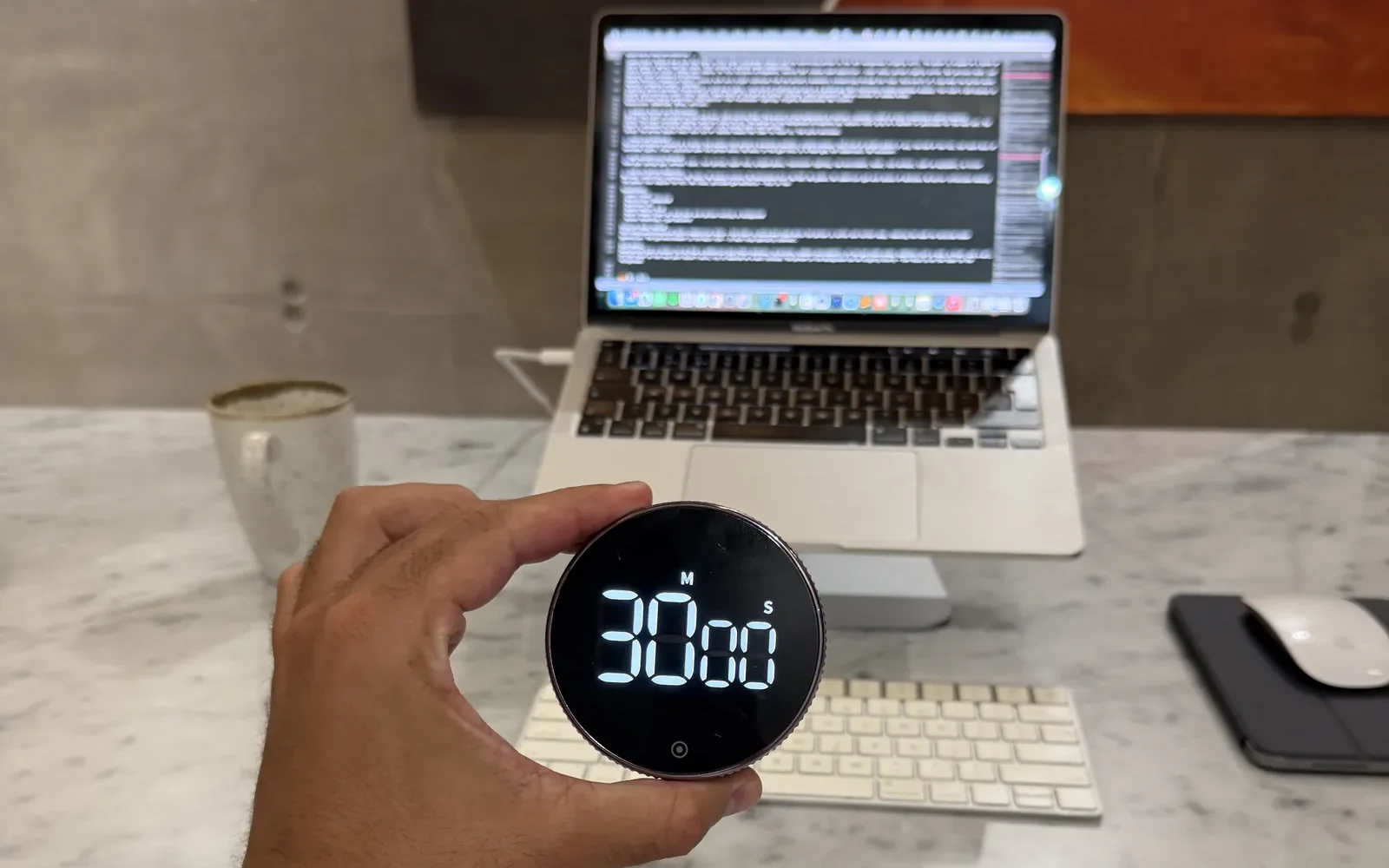
$44.99 today, usually $69.99
- Secure checkout
- Ships from the US and Europe
- Duo and Trio ship free
1 turn
to set the time
0 apps
to open or update
1 AAA
battery, nothing to charge
From the product page at konah-home.com

1Unlock to start, unlock to stop
They Found Out Their Focus Timer Lives On The Distraction
To start a phone timer, you pick up the phone and unlock it. To check it, you pick it up again. To stop it, you unlock it one more time.
Each of those moments opens a door to everything else on the phone: the message you meant to answer later, the red badge, the feed. The tool you use to focus lives on the device that breaks it.
With the timer
- Nothing to unlock. Turn the collar to set the time and press once to start.
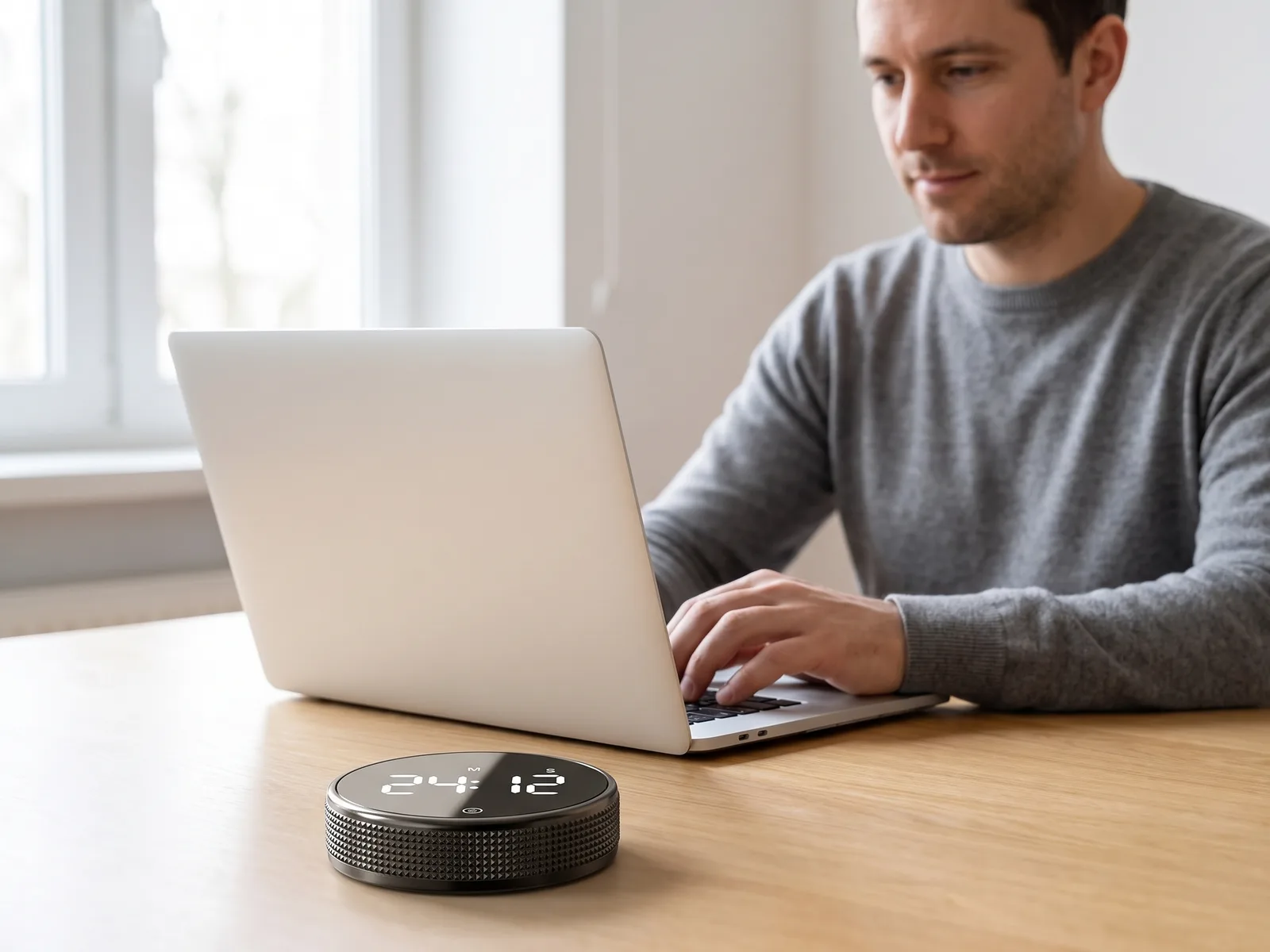
- The phone can go in a drawer. The countdown lives on your desk, not in your pocket.
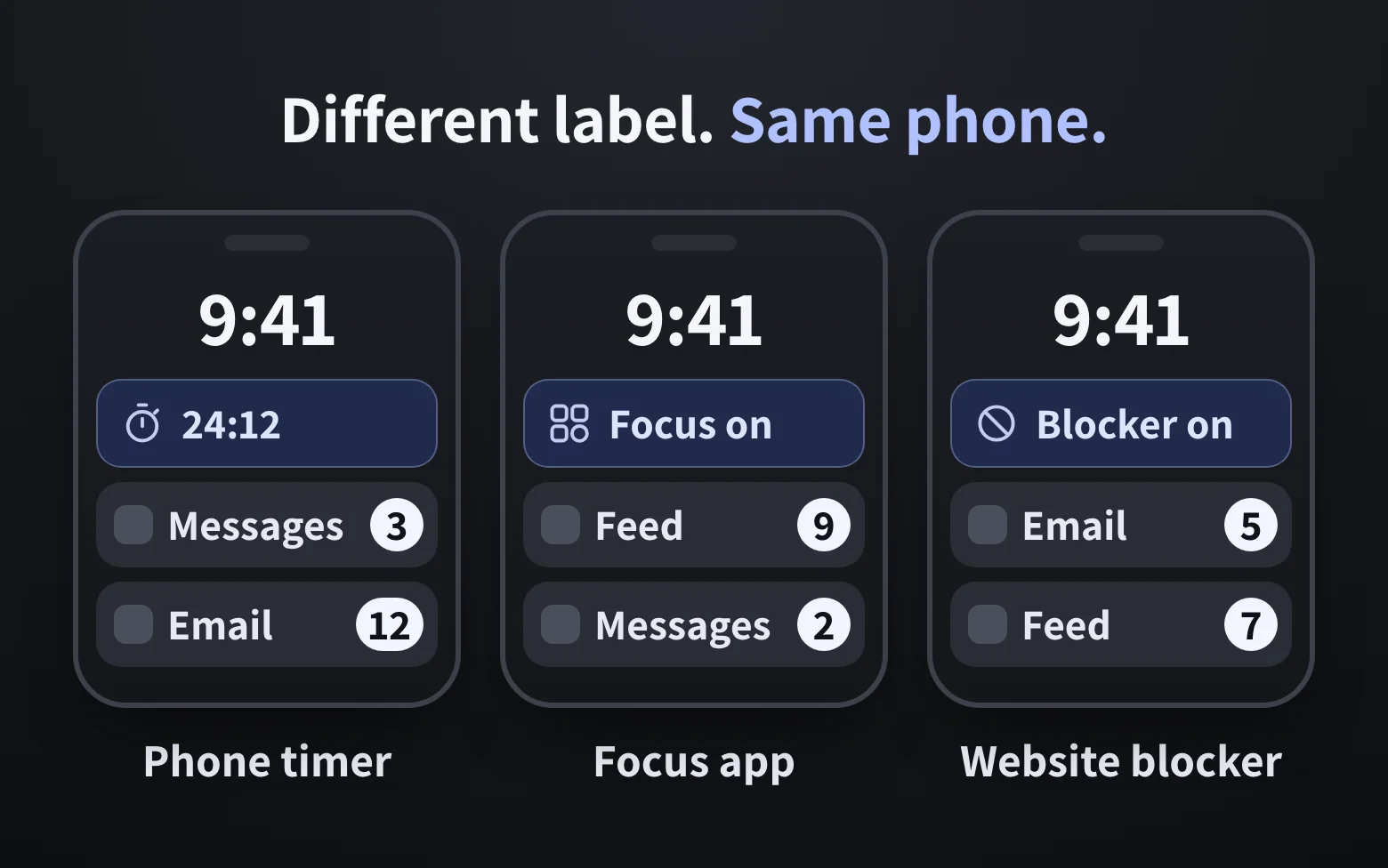
2The half-switch that changes nothing
They Discovered The Focus App Is Still Their Phone
So the smart move seems to be a better app: a focus timer, a website blocker, a focus mode in your settings.
It works for a day. Then you switch it off, because that takes one tap and the phone is already in your hand.
I'll just check one thing.
With the timer
- No app, no login, no account. It's a battery timer with nothing else on it to wander into.
- One job. It times, down or up.
I was using timer apps before this and this works so much better for timing my work blocks. Being able to feel the wheel rotating keeps you present and it looks great

3The cost doesn't stay in the minute
The Lost Minutes Were Turning Into Lost Evenings
It's never one check. You open the laptop at nine, pick up the phone to start a timer, and at twenty to ten the task still hasn't moved.
By the evening it's I'll do it tomorrow, plus a quiet verdict about yourself that isn't true. You're not lazy. You know exactly what to do. Nothing in the room told you it was time to start.
With the timer
- A start you can see. A countdown in your eyeline says now, without asking you to pick anything up.
- A smaller first step. Not the whole project. Ten minutes. One turn.
My procrastination got very bad and I would hate myself for it. This timer is genuinely the only thing that helps me stay focused and be accountable for the things I need to do.
4Counted, not claimed
They Counted The Steps It Took Just To Begin
Every step between sitting down and starting is a place to stop. So we counted them, the way you'd actually start a 25-minute block on a Monday morning.
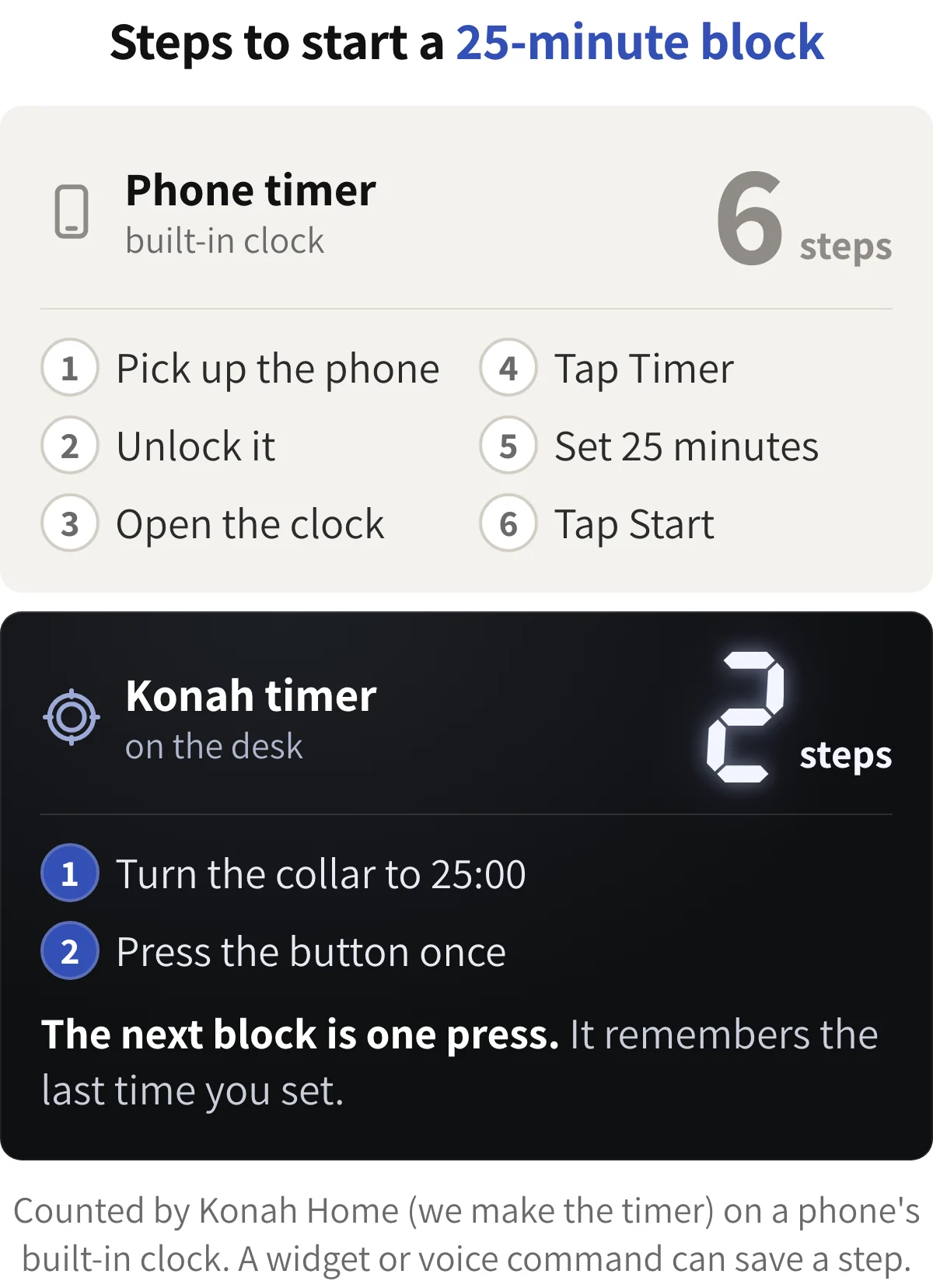
Six steps on the phone, and every one happens with the phone in your hand. Two on the timer, and the phone never leaves the drawer.
With the timer
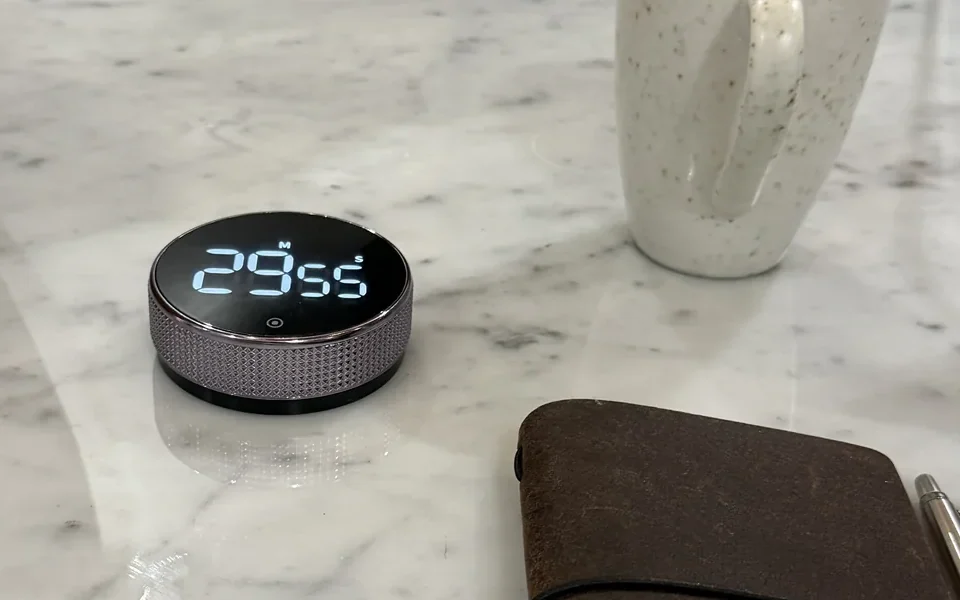
- Two steps to start. Turn the collar, press once.
- Then just one. It remembers your last time. In one buyer's words, "just tap and go."
5A deadline you can't see
They Realised A Countdown In A Pocket Isn't A Deadline
Put the phone face down so it can't distract you, and you've hidden the countdown too. Out of sight, the deadline stops pressing.
A countdown you can see does the opposite. When the minutes tick down in front of you, the task feels like now, not later.
With the timer
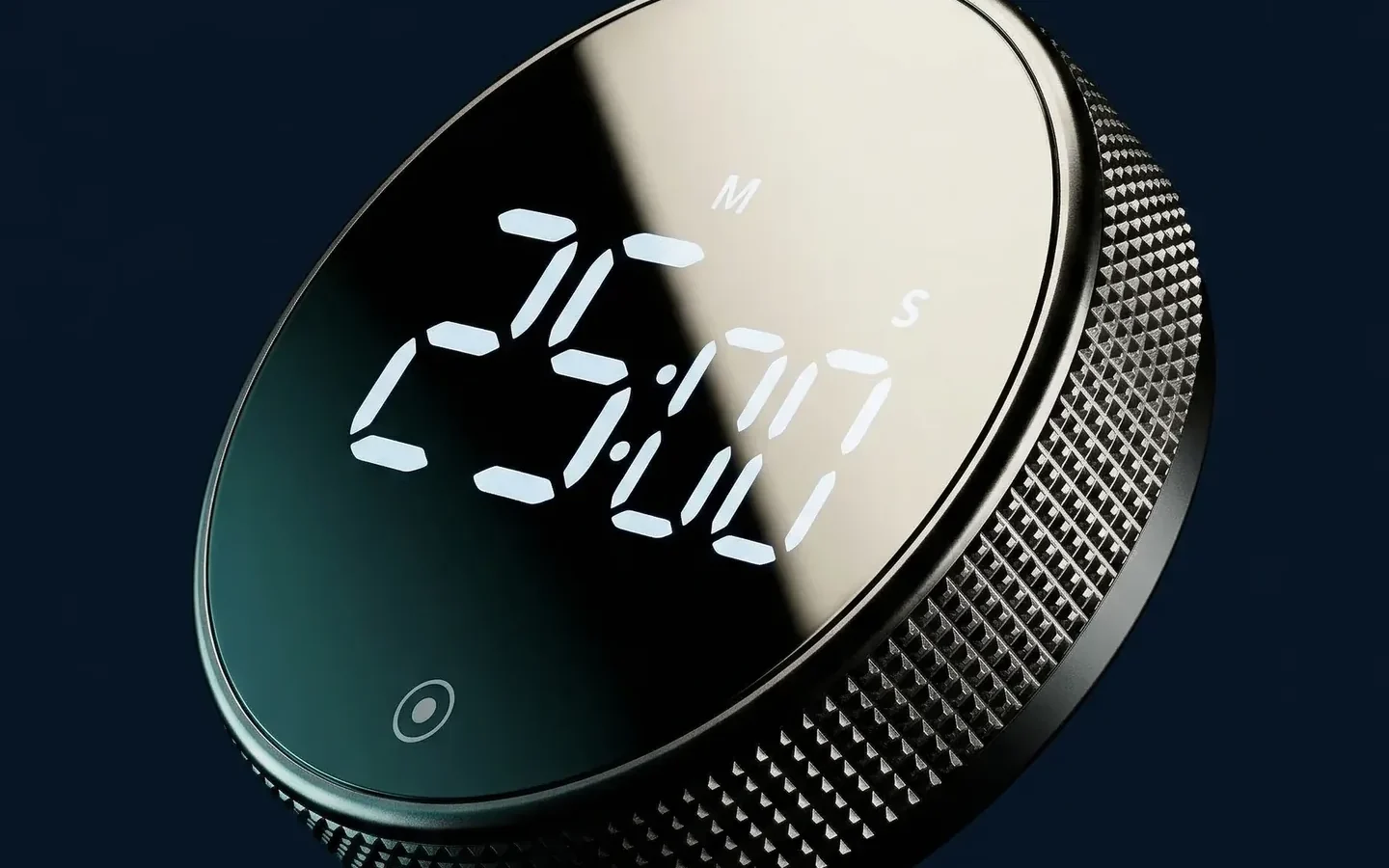
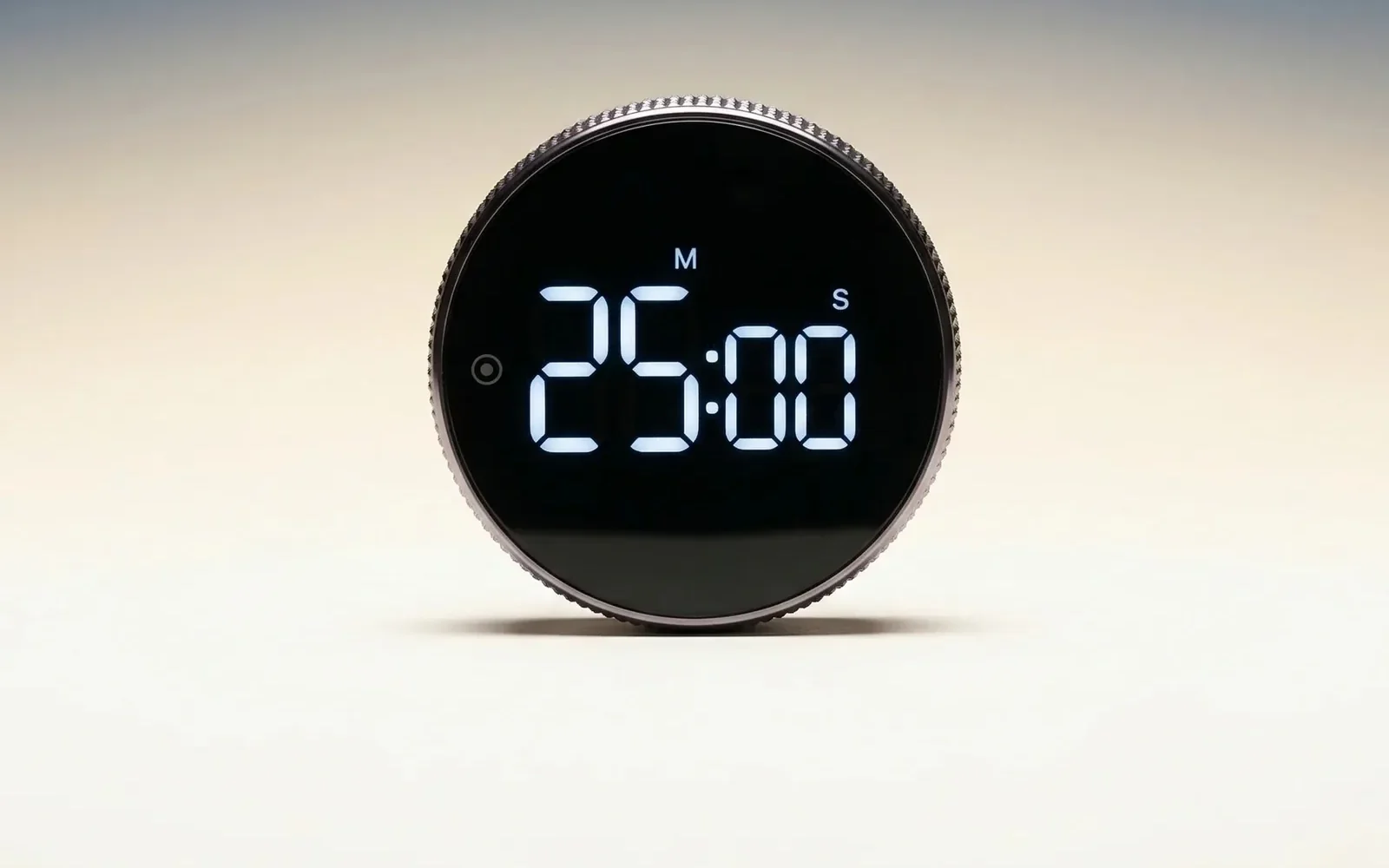
- Big white-on-black digits. You read the time left with a glance, not a pick-up.
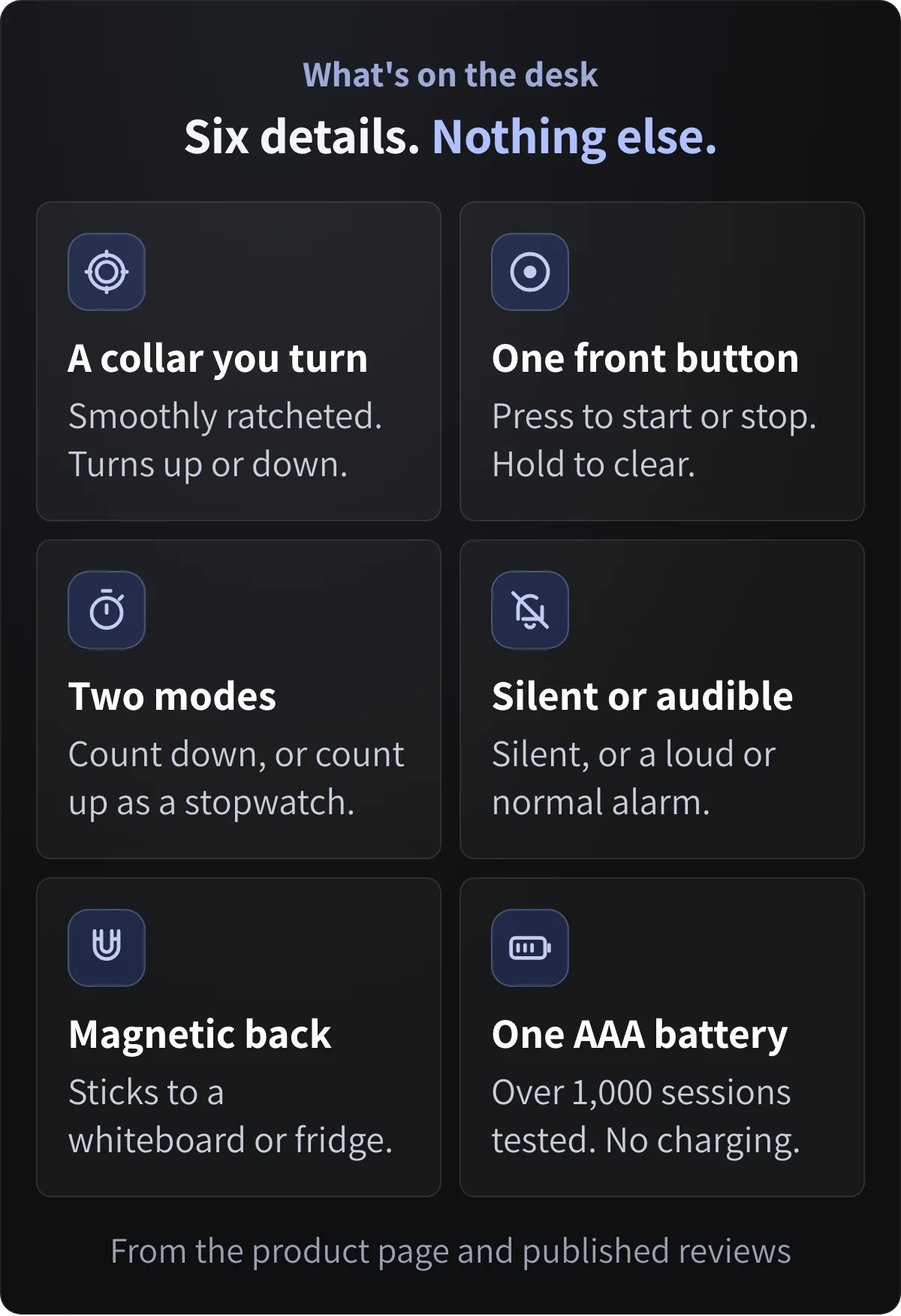
- It goes where you work. The magnetic back sticks to a whiteboard or the fridge.
6Simple doesn't mean basic
They Switched And Ended Up With A Better Timer
It's just a timer. Yes, and that's the point. It does one job, and it's built to do that job well.
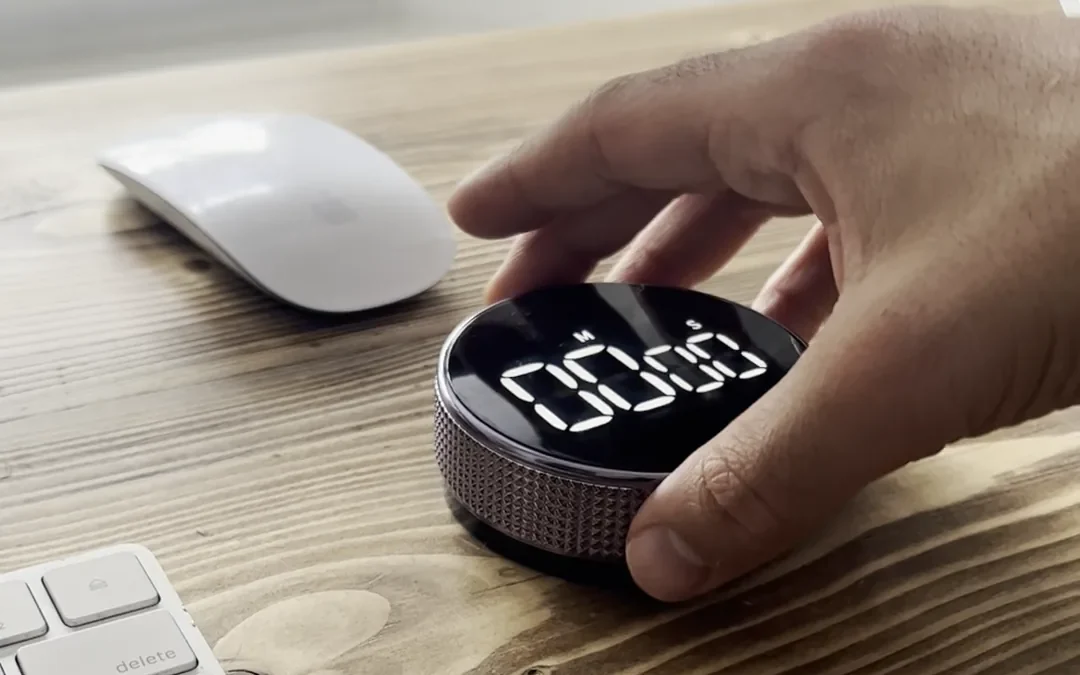
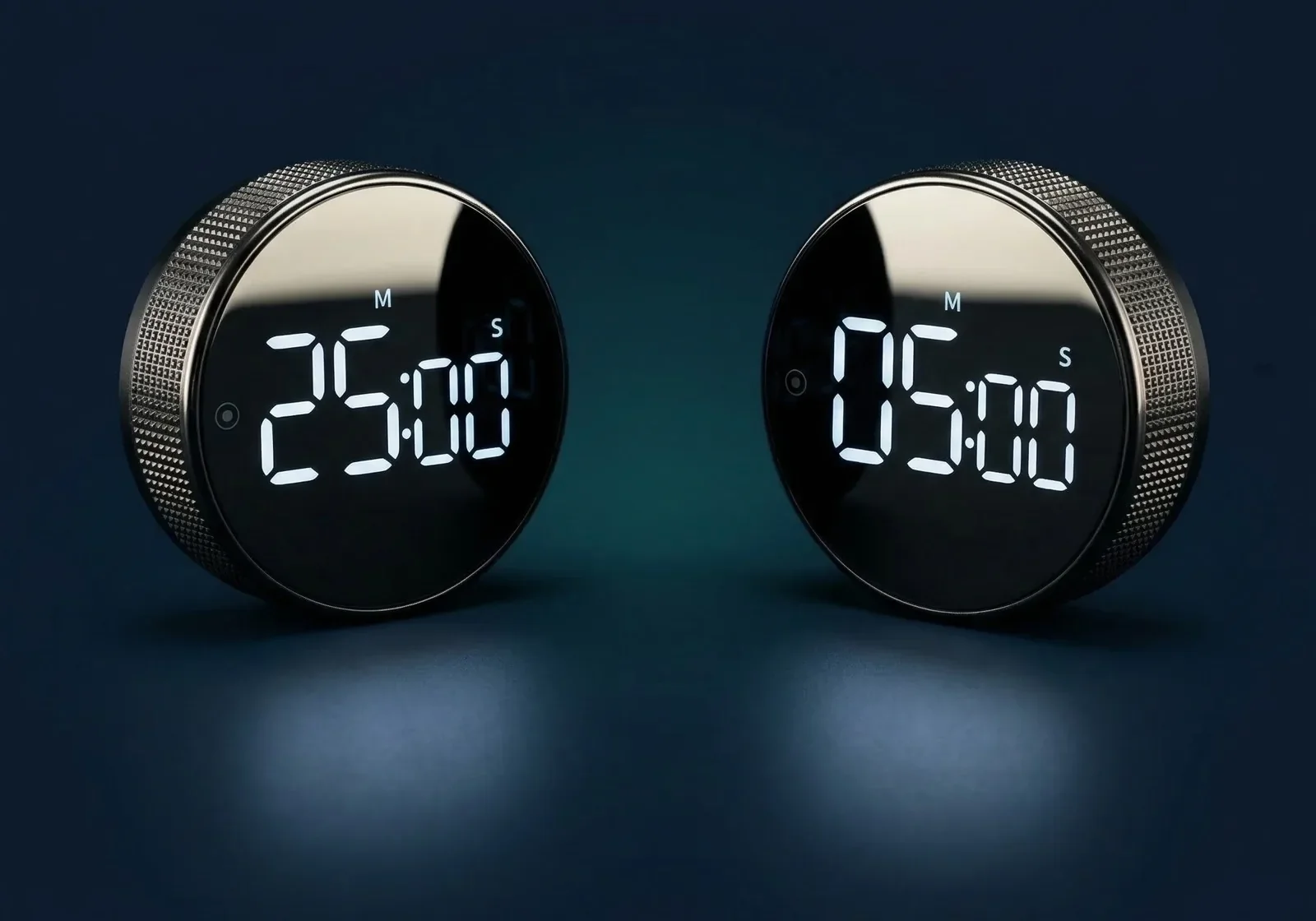
The outer collar is smoothly ratcheted, so you feel every step as you set the time. It counts down or works as a stopwatch, and you decide how loud it is, or whether it makes a sound at all.
With the timer
- Silent or audible. A silent countdown mode, or an alarm set to loud or normal.
- Countdown or stopwatch. Two modes, one button on the face.
- Nothing to charge. One AAA battery, tested on over 1,000 sessions. It switches itself off.
No fiddly buttons you need to hold down for ages, this one has a silver band that rotates around the display to set the desired time.
7What you gain by switching
Put The Phone Away In A Drawer And Get The Hour Back
Move the timing off the phone, and four things change.
What you get back
- A phone in a drawer. Nothing you need for the block lives on it.
- A start that takes two moves. Turn, press, begin.
- A desk that says work. One object in your eyeline, doing one thing.
- An end you hear, not a feed you open. When it rings, the block is done.
I love this. It's a quality product and looks great on my desk. I use it everyday and love having a physical timer instead of using apps
Save 36%
Make the switch
The Smart Productivity Timer
$44.99Was $69.99
- Turn the collar to set, press once to start
- No app, no phone, one AAA battery
20% off two, 30% off three. Duo and Trio ship free.
The Honest Comparison: Why The Desk Timer Beats Your Phone
| What actually matters | Konah timer | Phone timer | Focus app |
|---|---|---|---|
| Counts down and rings | |||
| Nothing else on it can ping you | |||
| Starts without unlocking anything | |||
| Set with one turn, no menus | |||
| Time left visible at a glance | |||
| Nothing to charge every night | |||
| Sticks to a whiteboard or fridge |
Compared by Konah Home. We make the timer. Phone timer means your phone's built-in clock; focus app means any focus or blocker app on the same phone.
Questions? We Have Answers.
What's wrong with the timer on my phone?
Nothing, as a timer. The problem is where it lives. Starting, checking and stopping it all happen on the device with your messages and feeds. The Smart Productivity Timer does the timing somewhere else, so the phone can stay out of reach.
Isn't a focus app the same thing?
It's the same device with a different label. One tap turns it off, and the phone is already in your hand. The timer has no app and nothing else on it.
How do I set it?
Turn the outer collar to set the time, up or down. Press the button on the face once to start, and hold it to clear back to zero. It remembers the last time you set, so the next block is one press.
Will the beeping stress me out?
Only if you want it to beep. There's a silent countdown mode, and a button on the back sets the alarm to loud or normal. You choose the length of every block.
What does it run on?
One AAA battery, tested on over 1,000 sessions. There's no cable and nothing to charge. It switches itself off when you're not using it, and the display dims in timer mode to save battery.
Does it show the time of day?
No. It's a countdown timer and a stopwatch, with no clock. It does one job.
How big is it, and where can it go?
7.5 cm across and 2.75 cm deep. It sits on a desk, and the magnetic back sticks to a whiteboard or a fridge. The magnet is covered by soft pads.
How fast does it ship?
It ships from warehouses in Europe and the USA. Delivery takes 7-9 business days to the US, Canada and Europe, and 12-14 to Australia and New Zealand. Duo and Trio orders ship free. Any customs fees are paid by the buyer.
Join The People Who Already Switched
Keep the phone for everything else. Let the timing live on your desk.
It's $44.99, down from $69.99.
Buy two and save 20%, or three and save 30%. Both ship free.
- Secure checkout
- Ships from the US and Europe
Konah Home makes this timer. It's a timer, not a treatment: it doesn't diagnose or treat ADHD or any condition. Reviews quoted are published on konah-home.com.