14/4
The Smart Productivity Timer
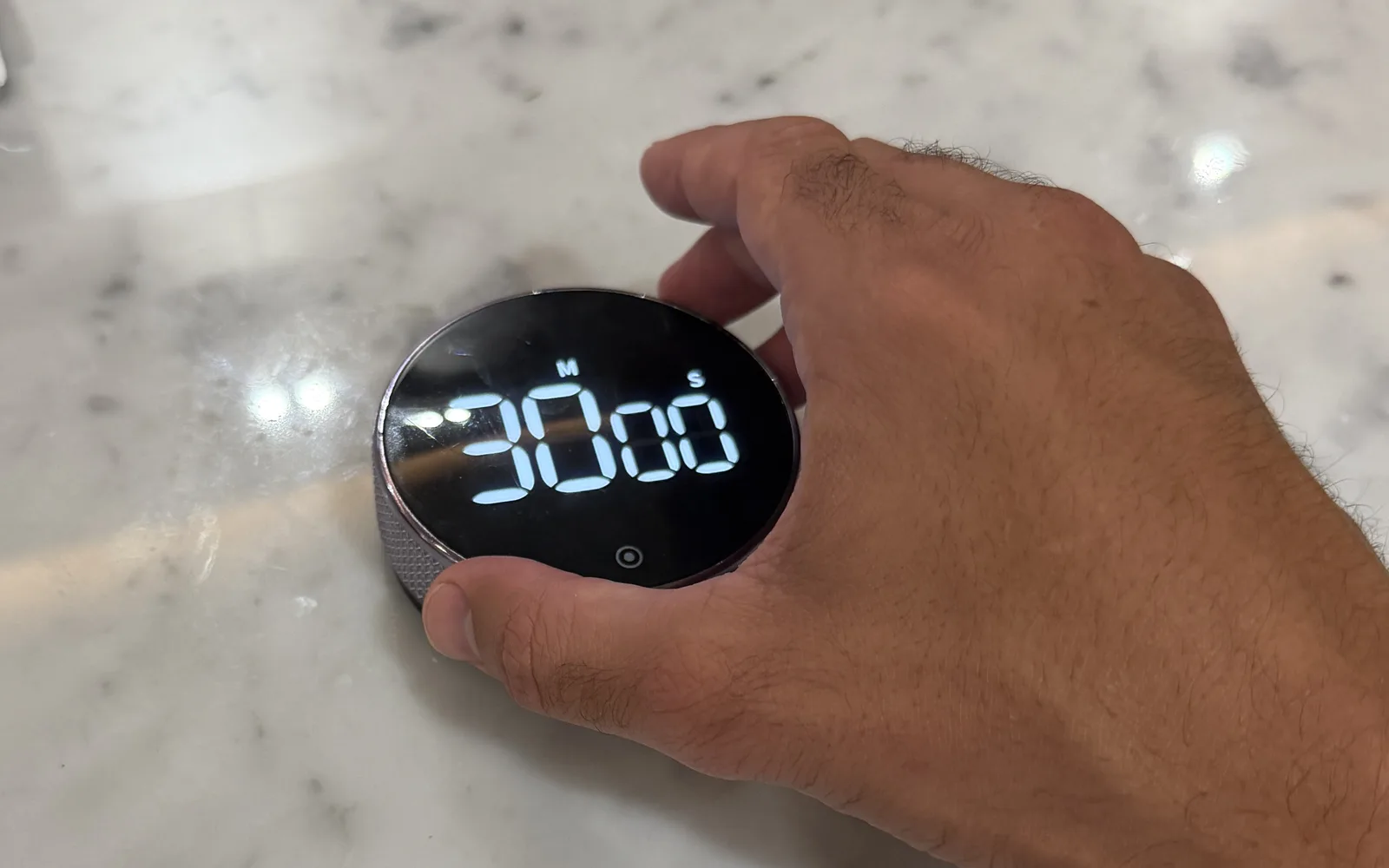
Passes all four checks- One move. Turn to set, press once to start
- No pings. It isn't a phone
- In sight. Big white digits on black glass
- No upkeep. No app, runs on an AAA battery
36% off the Smart Productivity Timer today

By Konah Home, makers of one of the five
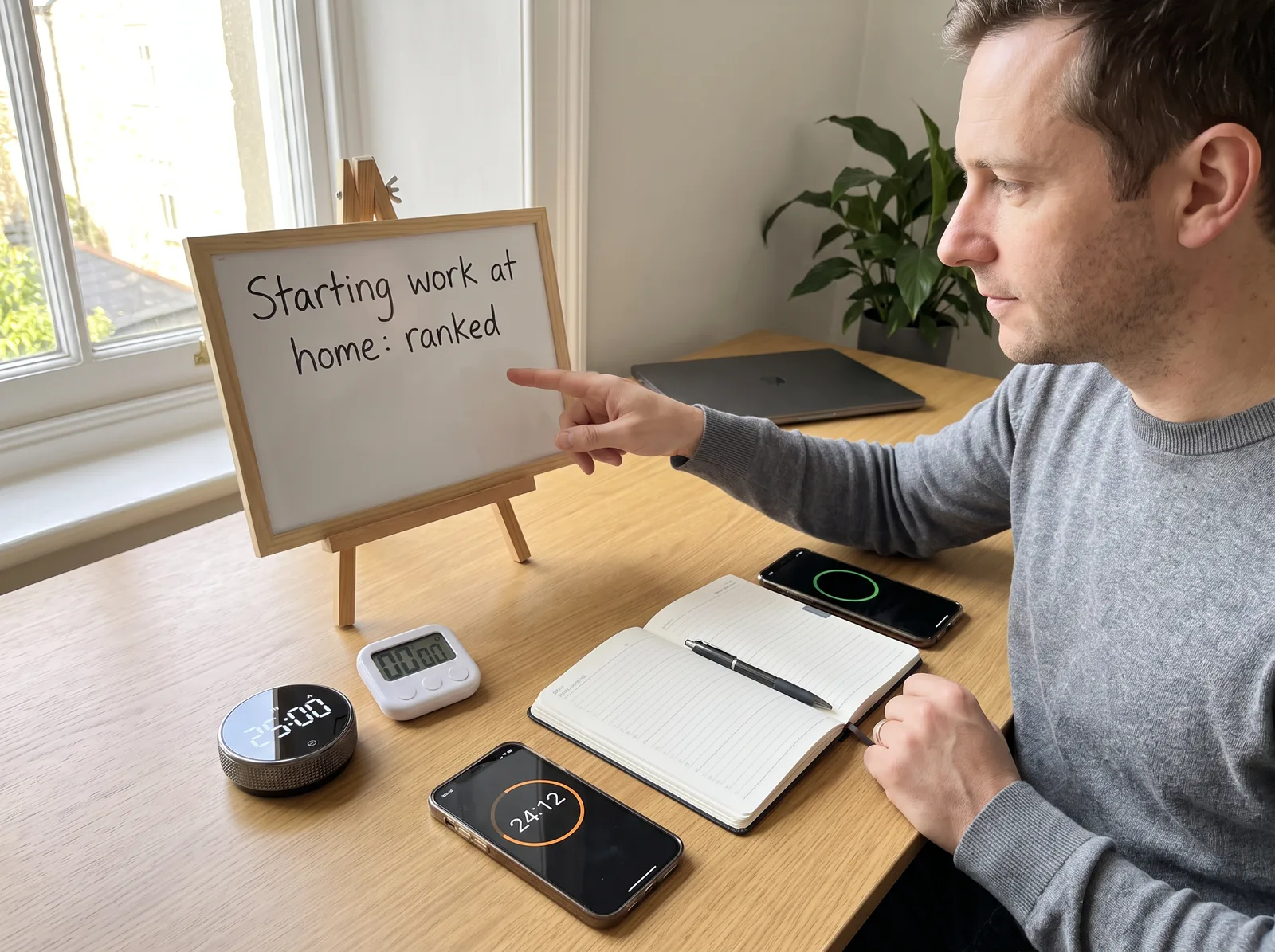
You know exactly what today needs. The laptop is open by nine.
Then it's eleven. The inbox is tidy, the dishwasher is empty, you've read three articles about something you can't change, and the one task that matters hasn't been touched. Somewhere around ten, the laundry started to look urgent.
So you tried to fix it. A pomodoro app. A website blocker. A color-coded planner. The timer on your phone. Each one worked for about a week.
If that sounds familiar, you're not lazy and you're not short on discipline. You're missing something nobody tells you about working from home.
In an office, the start happens for you. The commute, the desk, the people around you: they all say it's time, and you begin without deciding to.
At home there's no signal. The kitchen is ten steps away and the phone is already in your hand. So every task has to start with a decision, and the decision is exactly where the resistance lives.
One more minute and then I'll start.
Then the minute becomes forty. You feel bad about it. Feeling bad makes the task heavier, and the phone is right there to make you feel better. If you work from home, you probably know the loop by heart.
The way out isn't more willpower. It's making the start smaller than the resistance.
Of those four fixes, two live on your phone, the device that causes the distraction in the first place.
You pick up the phone to start a 25-minute timer. Forty minutes later you put it down, and the timer was never set.
The other two have a different problem. They help you plan the work, or guard it. None of them starts it.
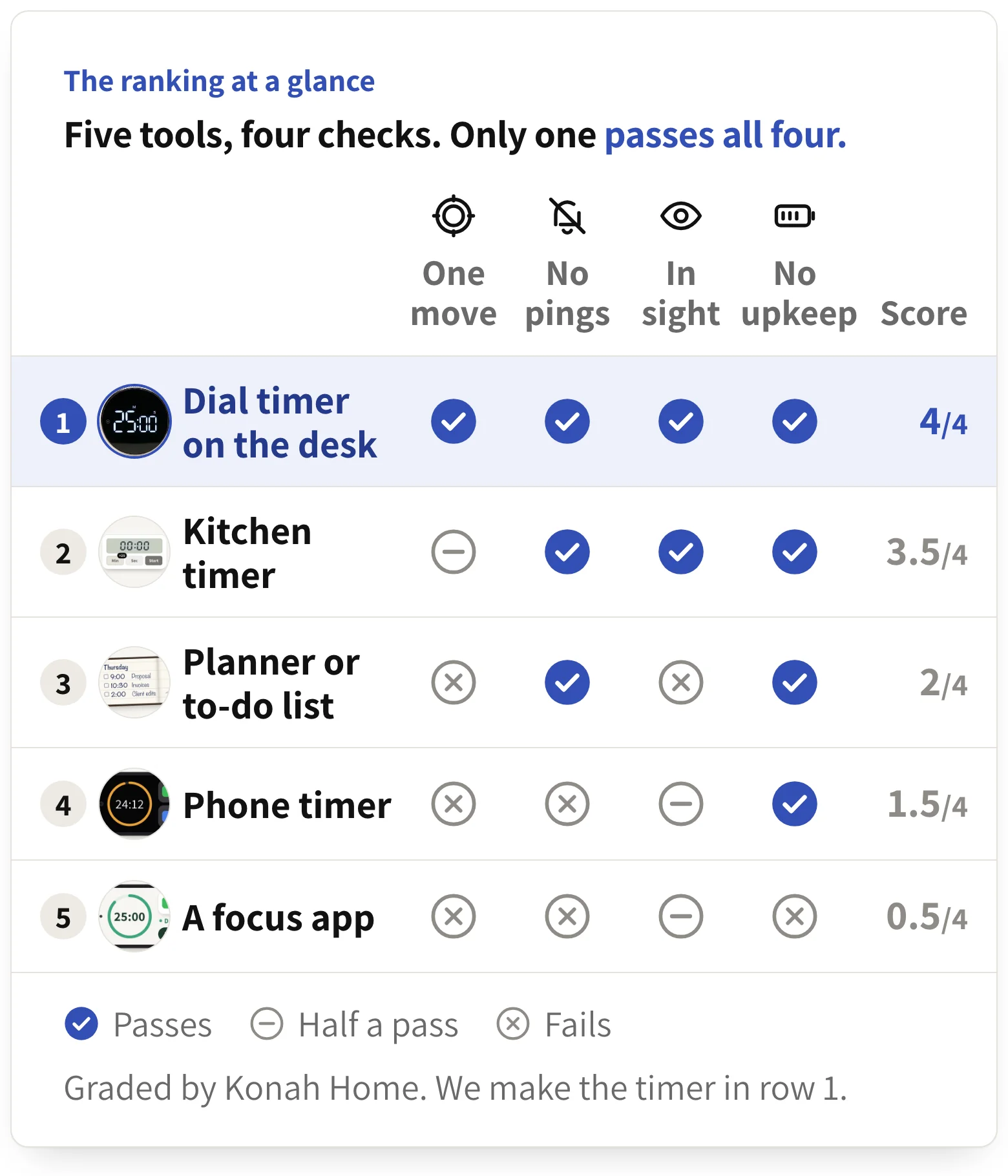
So we graded five tools people working from home reach for, on the four checks that matter at 9am. We left out the blocker, which guards the laptop but not the phone, and added a plain kitchen timer, the obvious offline option.
One of the five is ours, and we'll say so when we get there. We'll also say where the others win.
Four questions every tool has to answer at 9am.
One move to start
Sitting down and starting should be one action, not an unlock, a menu and a setup. Every extra step is a chance to drift.
No pings
If the tool shares a screen with your messages, every start is a coin toss between the work and the feed.
In sight
A countdown in the corner of your eye keeps the session real. A timer hidden in a sleeping screen doesn't.
No upkeep
No app, no account, no subscription, nothing to charge. The more a tool asks of you, the sooner you stop using it.
Whatever you try next, hold it to these two lists.
Must-haves
Red flags
One point per check passed, half for half a pass.
This is the Smart Productivity Timer. We make it, so weigh this card with that in mind. It's also the only one of the five that passed every check. Here's how.
Starting is one press
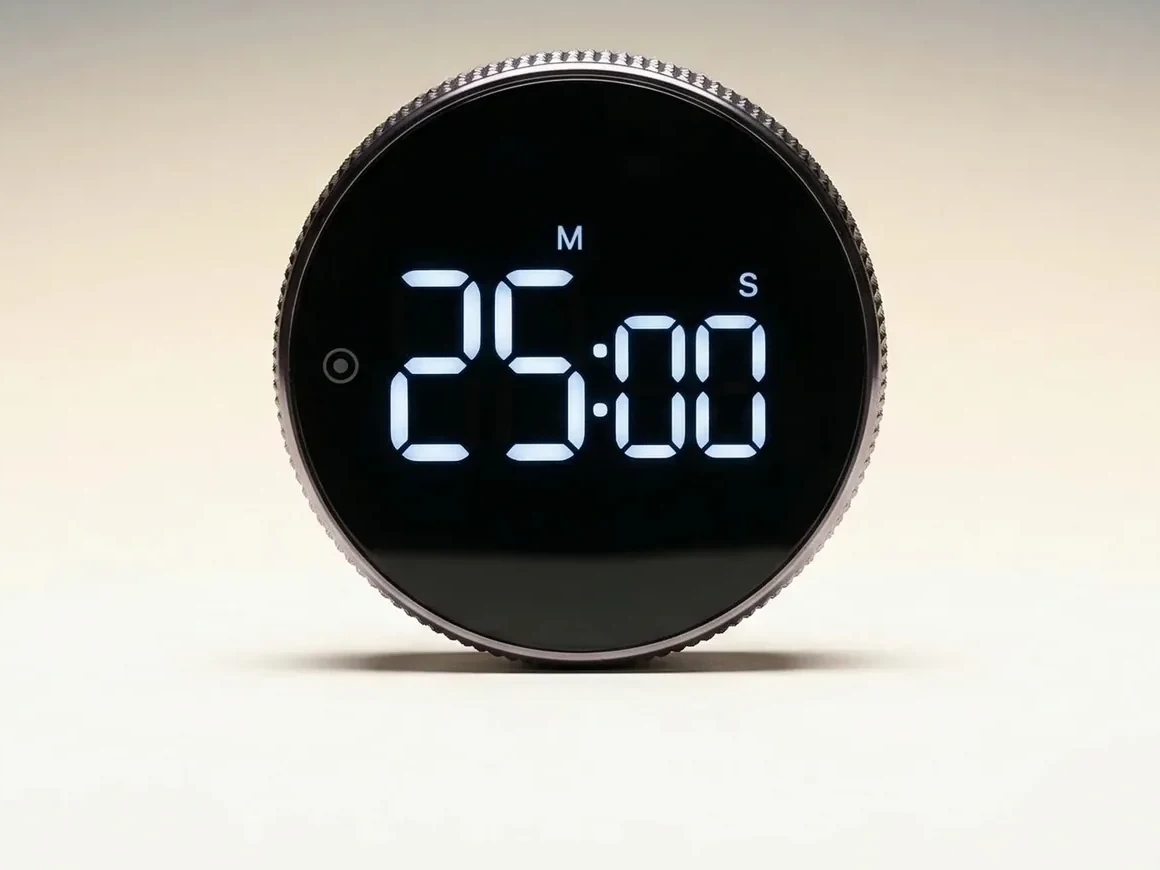
You set it by turning the metal collar around the face. It turns in smooth clicks, both ways, so if you overshoot, you dial back. One press on the front starts the countdown. It remembers the last time you set, so most mornings it's just the press.
It isn't your phone, so your phone can go in a drawer
That's the whole idea. A phone timer means picking up the one object built to keep you. This has no screen to unlock, no app and nothing that can ping you. Once the countdown is running, there's one thing left to do.
You can see it from across the desk
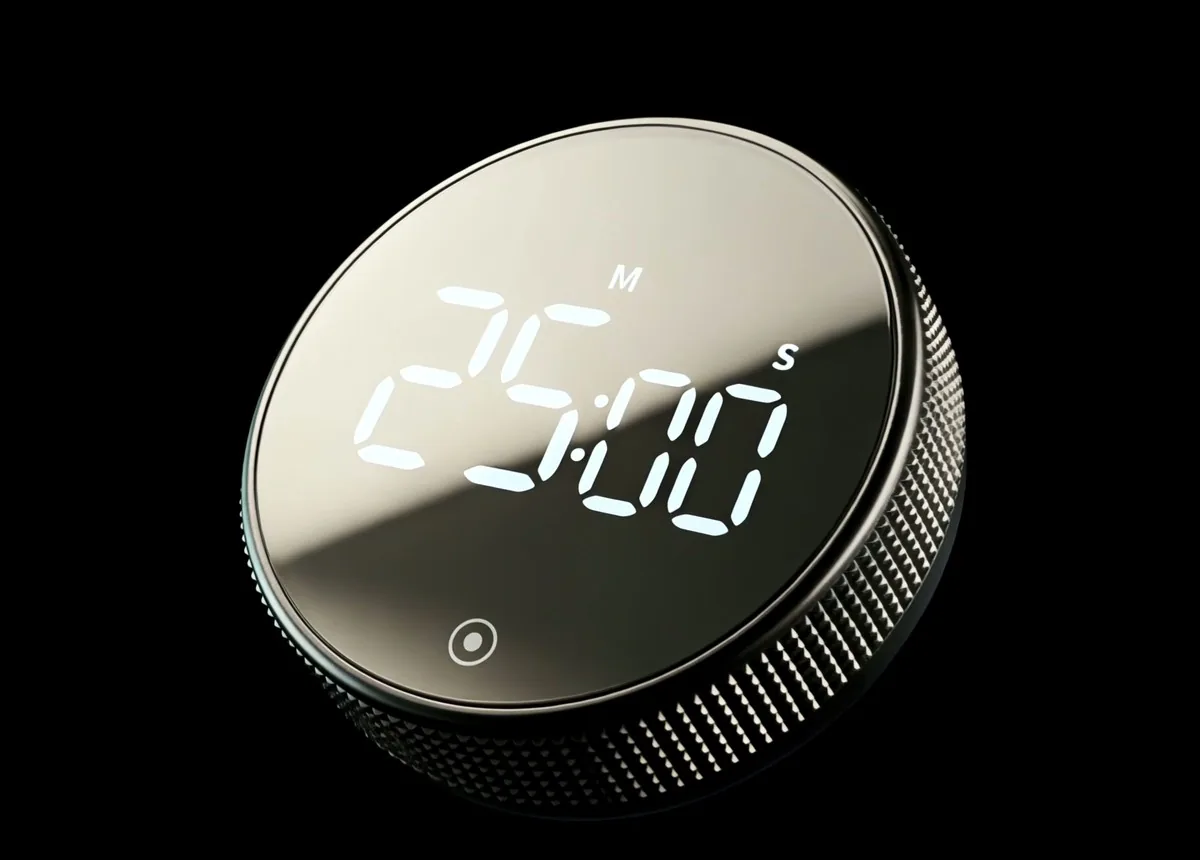
White digits on black glass, 7.5 cm across. It sits by the keyboard, or sticks to a whiteboard or the fridge by its magnetic back, so the time running out stays in the corner of your eye.
There's nothing to keep up
No account, no streak, no subscription. It runs on an AAA battery, tested on over 1,000 sessions, and switches itself off when you're not using it.
It shrinks the start
You don't commit to the whole task. You commit to one turn of the collar and 25 minutes. That's a start small enough for the worst morning.
“My procrastination got very bad and I would hate myself for it. This timer is genuinely the only thing that helps me stay focused and be accountable for the things I need to do.”
Pros
Cons
$44.99 today, usually $69.99
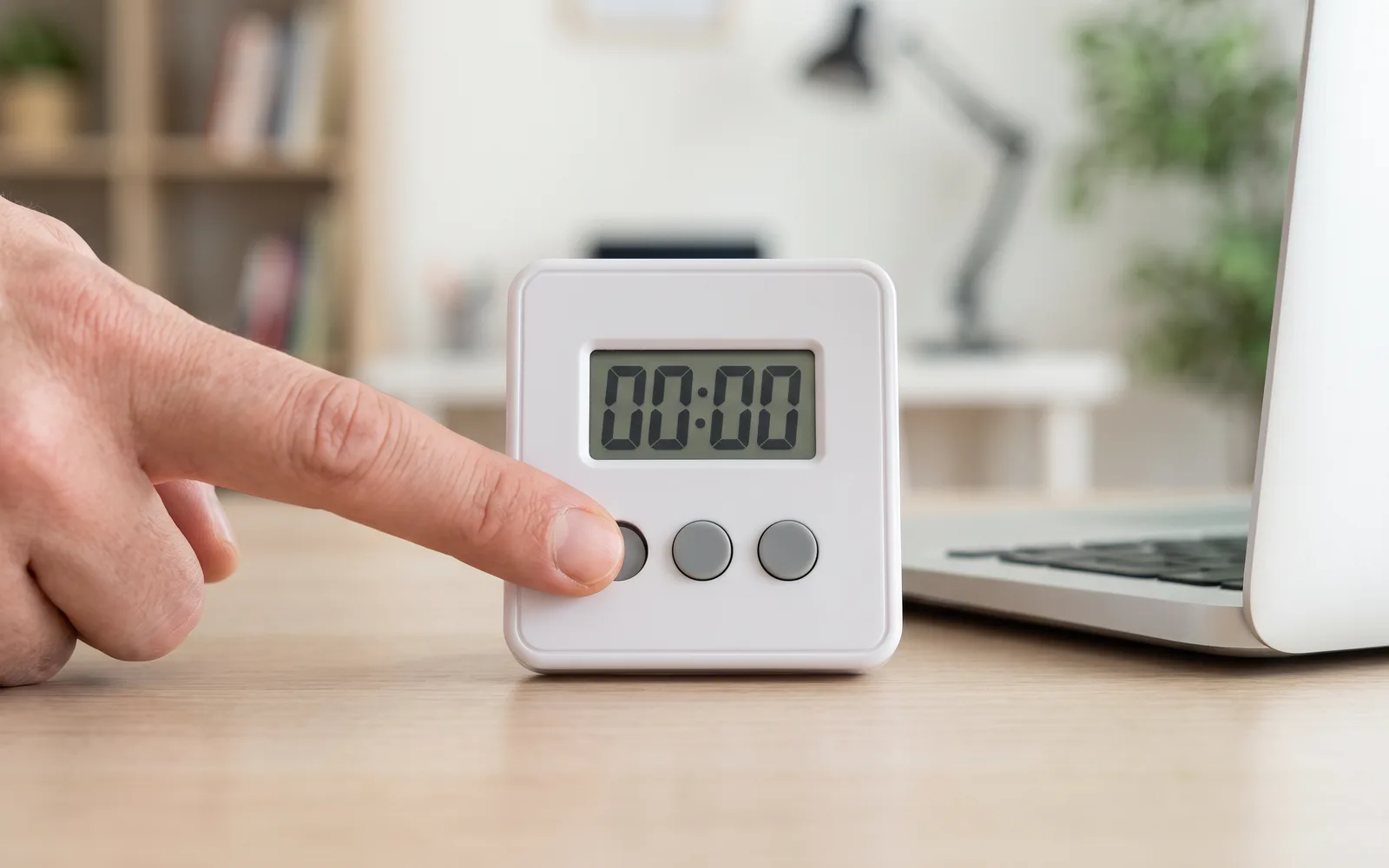
The honest runner-up. A plain kitchen timer gets most of this right: it isn't a phone, it shows the time, and there's nothing to subscribe to. If you already own one, use it tomorrow morning.
Where it loses is the start. Setting 25 minutes usually means tapping the minute button again and again, or holding it while the numbers crawl, before you press start. It sounds small. At 9am, with the resistance high, small is the difference between starting and not.
One buyer who had used a button timer before put the difference plainly:
“Having used this timer for a few days now I've found it super easy to use and far better than the more traditional digital button type timer I've used in the past.”
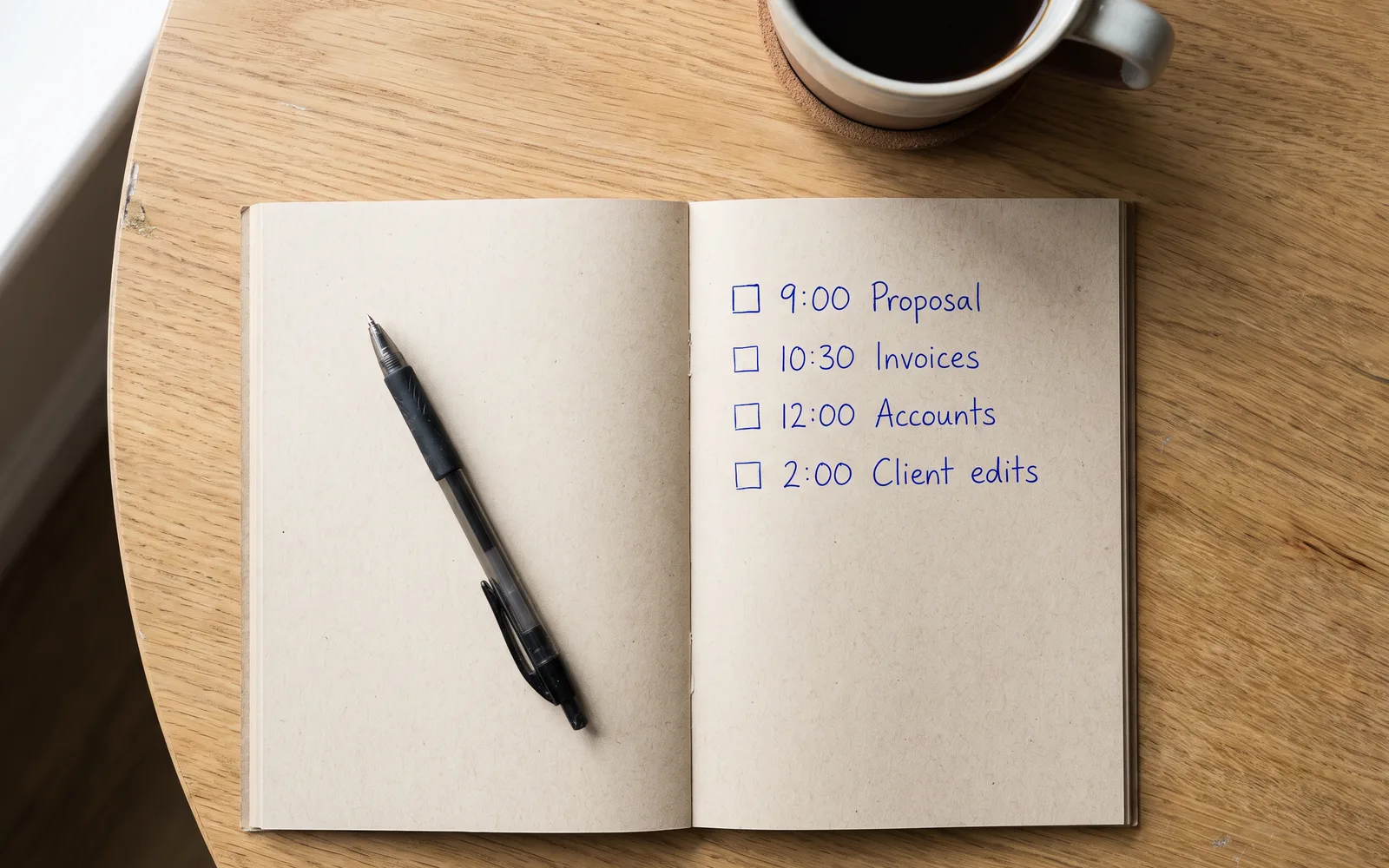
A good list is worth keeping. It answers what, and on plenty of mornings that's half the battle.
But it never answers now. You can write “9:00 proposal” in your neatest hand and still be making coffee at 9:40. Planning can turn into the work, too. As one person on Reddit put it, “time-blocking turned into time stressing.”
Keep the list, and add a timer you can see to start the first item. One buyer who already had other timers still wanted one in sight:
“It works like you expect - big clear display, and simple to use. I use Alexa for some timers, but it's good to have secondary ones that are visible.”
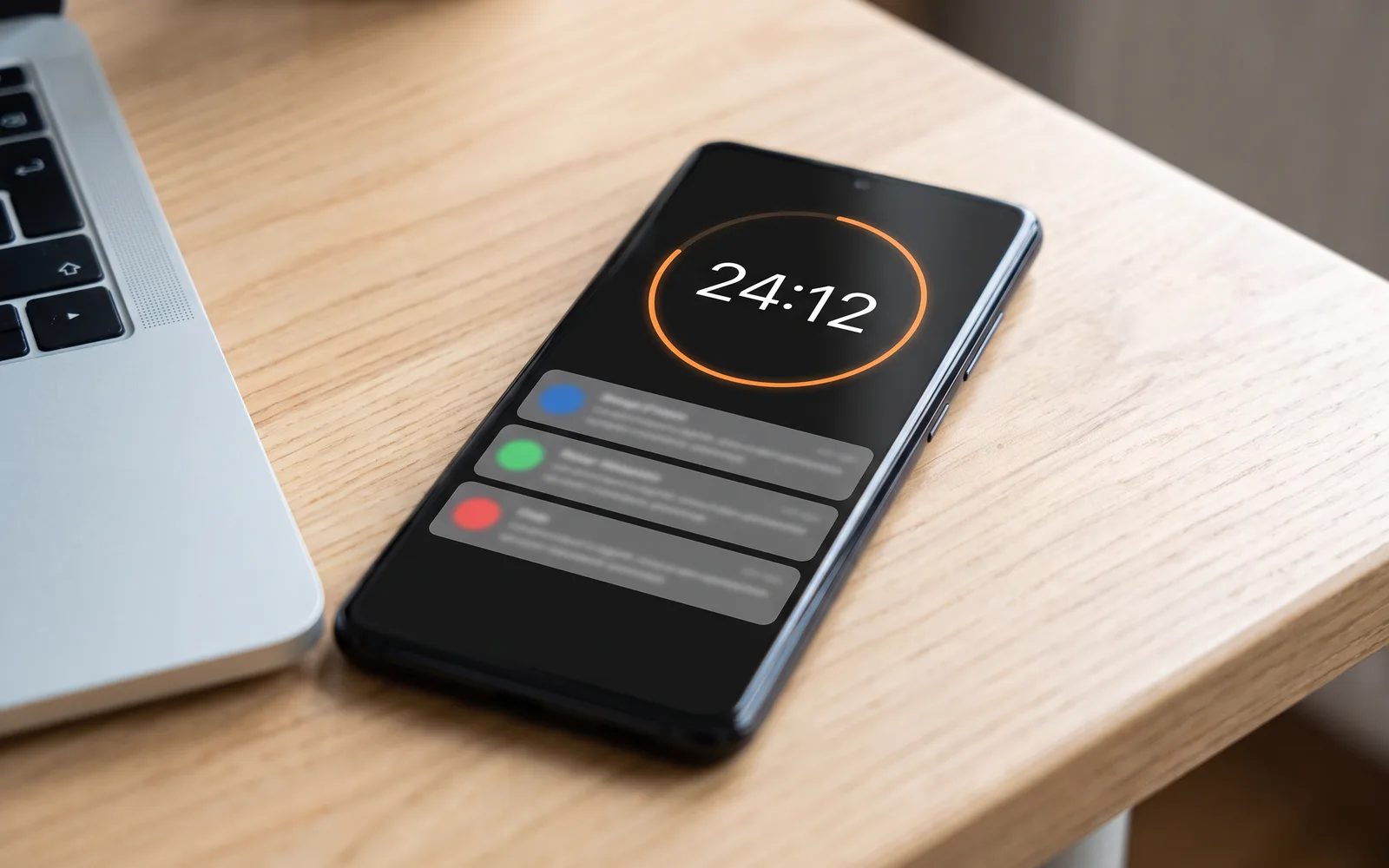
It's free and it's already there, which is why it's where most of us start.
The problem is where it lives. To start the countdown you unlock the one device that's always asking for you, and every time you check it, you're one swipe from everything else. The timer is on the same screen as the distraction it's meant to protect you from.
And in meetings, it has a second problem. One buyer explains:
“I wanted something to look simply good to be able to use it during my meetings and appointments... phone timers etc. Were simply useless as the phone was off, it looked unprofessional etc.”
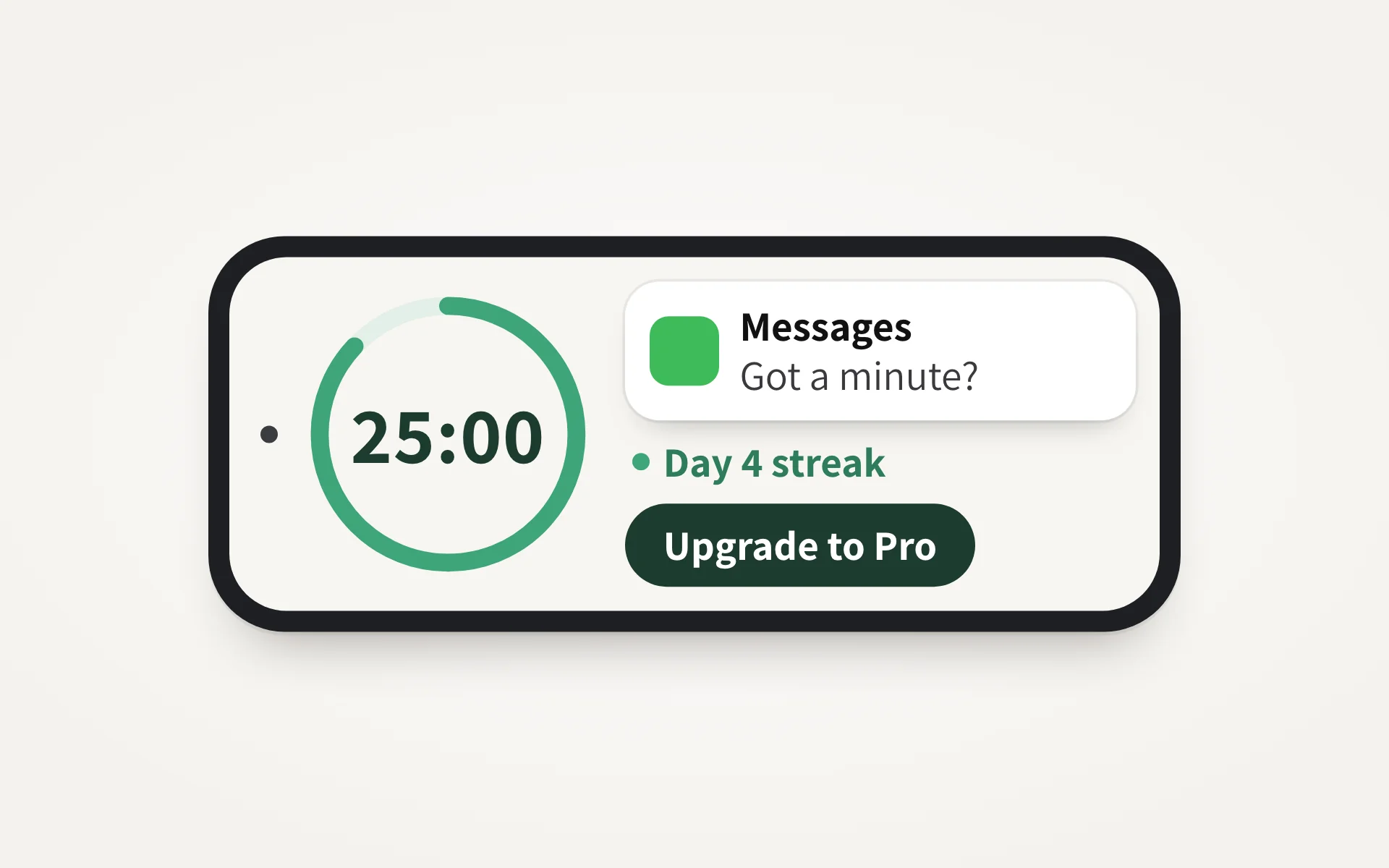
Focus apps are built by people who understand the problem. They count down, block sites and reward you for staying put.
But they live on the phone, next to the messages they're meant to protect you from. Many want an account, then a streak, then a subscription, and getting the setup perfect becomes a job of its own.
If a pomodoro app never stuck for you, that isn't a discipline problem. It's the device. Here's what one buyer noticed after switching:
“I was using timer apps before this and this works so much better for timing my work blocks. Being able to feel the wheel rotating keeps you present and it looks great”
If you already own a kitchen timer, start with it tomorrow. If you've been through the apps, the phone timer and a planner or two, the one that passed all four checks is below.
Save 36% today
Passed all four checks
$44.99Was $69.99
Save 20% on two, 30% on three. Duo and Trio ship free.
It does one thing. To use a phone timer, you unlock the device where your messages, feeds and email live. This timer has no screen to unlock and nothing that can ping you, so your phone can go in a drawer while you work.
Apps tend to fail for a simple reason: they live on the same device that causes the distraction. There's also nothing to set up here. No account, no streak to protect, no subscription. You turn the collar and press once.
If it helps, yes. A blocker guards the laptop, but it doesn't start anything, and it can't reach the phone beside you. The timer does the starting.
Turn the knurled metal collar to set the time. It turns both ways, so you can dial back if you go too far. Press the button on the front to start, and hold it to clear back to zero. It remembers the last time you set, so most days you just tap and go. It also works as a stopwatch, counting up from zero.
You choose how it ends. There's a silent countdown mode, and the alarm has two volumes, loud or normal. You also choose the length: ten minutes is a perfectly good first session.
One AAA battery. It was tested on over 1,000 sessions, the display dims in timer mode to save power, and it switches itself off when it isn't in use. There's nothing to charge.
It's 7.5 cm across and 2.75 cm deep, small enough to sit by the keyboard. The back is magnetic with soft pads, so it also sticks to a whiteboard or the fridge without marking it.
No. It's a countdown timer and a stopwatch, nothing else. One reviewer wished it had a clock. We think doing one job is the point, but it's worth knowing before you buy.
It ships from warehouses in Europe and the USA. Estimated delivery is 7-9 business days to the US, Canada and Europe, and 12-14 to Australia and New Zealand. Duo and Trio orders ship free.
Tomorrow at nine, the laptop will open, the phone will light up and the laundry will look urgent. That part won't change.
What can change is the start: turn the collar, press once, and let the countdown be the only thing on the desk asking for you.
Today it's $44.99 instead of $69.99. Save 20% on two and 30% on three, and Duo and Trio ship free.
Konah Home makes this timer and wrote this guide. Every review quoted here is published on our site. It's a timer, not a treatment.