Save 36% on the Smart Productivity Timer today

5 Ways The Konah Timer Helps Close The 40-Minute Gap Between Opening Your Laptop & Starting Work
(Without Ever Unlocking Your Phone)
Laptop open at 9:00. You check one email, just to clear the decks. You pick up your phone to set a focus timer, and there's a message. Then a video. You rewrite the to-do list.
At 9:38 you're still telling yourself one more minute and then I'll start.
You know exactly what to do. You just can't make yourself start.
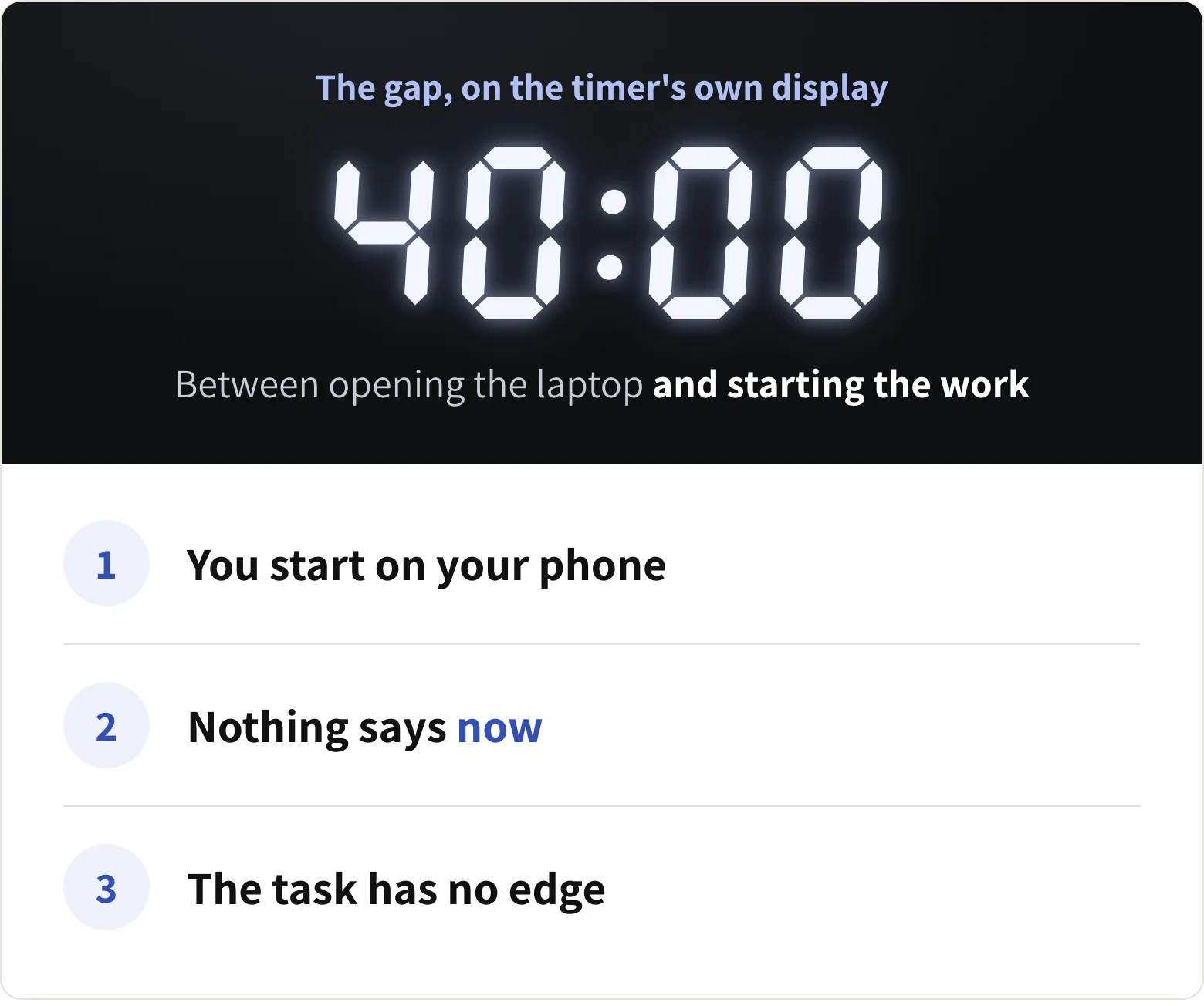
First, you start on the thing that distracts you. The phone timer, the focus app, the to-do list: they all live on your phone. So does every message, feed and badge. Picking it up to start is how the 40 minutes begins.
Second, nothing in the room says now. An open laptop isn't a start. It's a doorway to everything else on it. With no signal, your brain keeps negotiating, and later keeps winning.
And third, this is the big one: the task has no edge. "Write the proposal" has no end in sight. Agreeing to start feels like agreeing to the whole thing, so you put off agreeing.
So you haven't been lazy. You've been starting with the wrong object.
Here's How The Konah Timer Handles All Three At Once
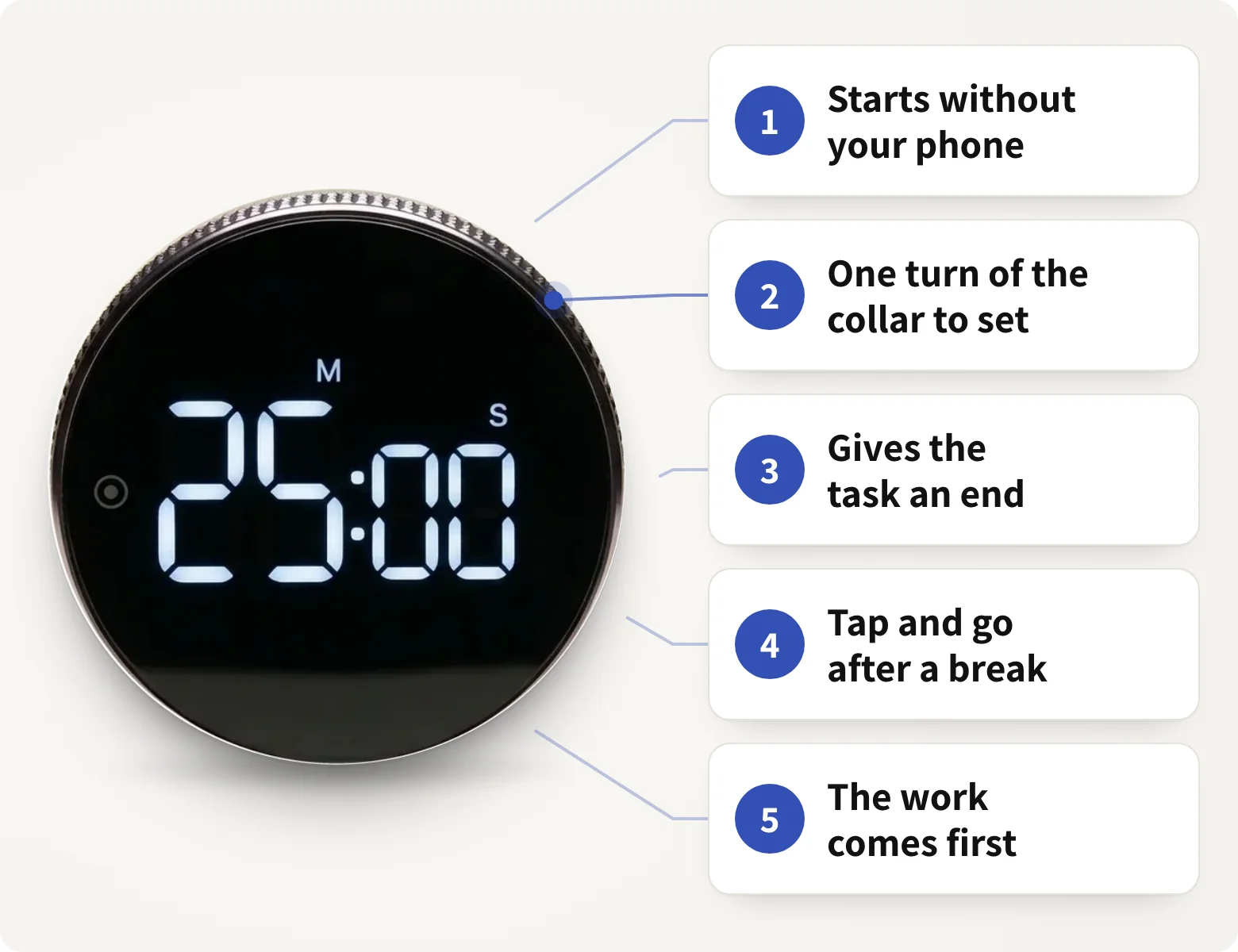
It's a round, magnetic timer that sits on your desk. You set it by turning its metal collar and start it with one press. No app, no phone, nothing to charge.
Ways 1 to 3 take the three causes one at a time. Ways 4 and 5 are what you'll notice once it's on your desk.
1Way 1 of 5
Takes The Start Off Your Phone
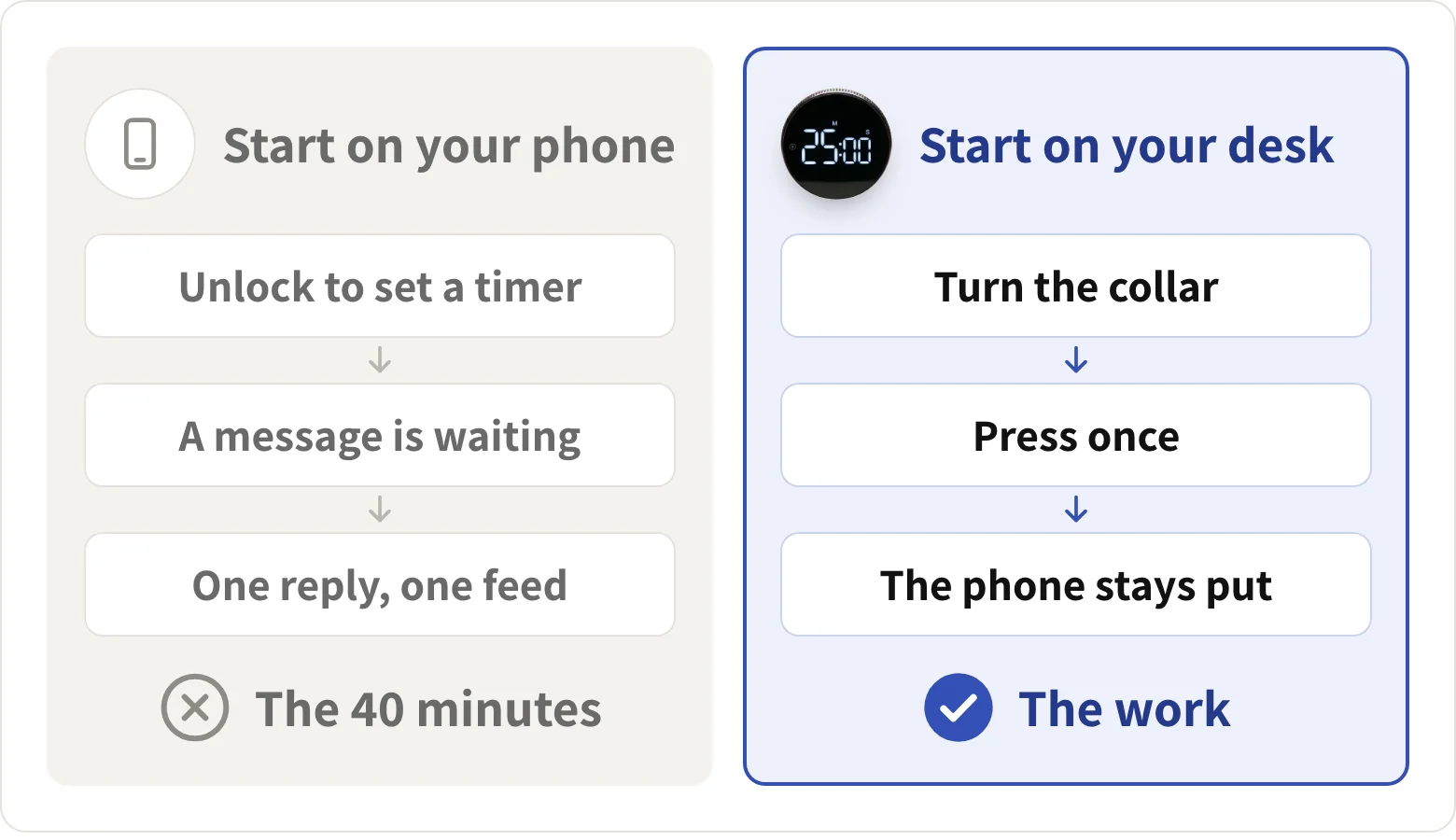
A focus app has to live on your phone. So does everything it's meant to protect you from. Every time you unlock to start the timer, the phone gets first go at your attention.
The Konah timer isn't an app on anything. It sits on the desk next to the laptop, and starting it never involves a screen:
- No unlock, no badge: turn the collar, press once, and the phone stays in the drawer
- No app to open or update: it's a standalone timer that runs on an AAA battery
- Nothing to swipe away: no notifications, no account, no streaks to keep
I was using timer apps before this and this works so much better for timing my work blocks. Being able to feel the wheel rotating keeps you present and it looks great
2Way 2 of 5
Makes Starting A Physical Move
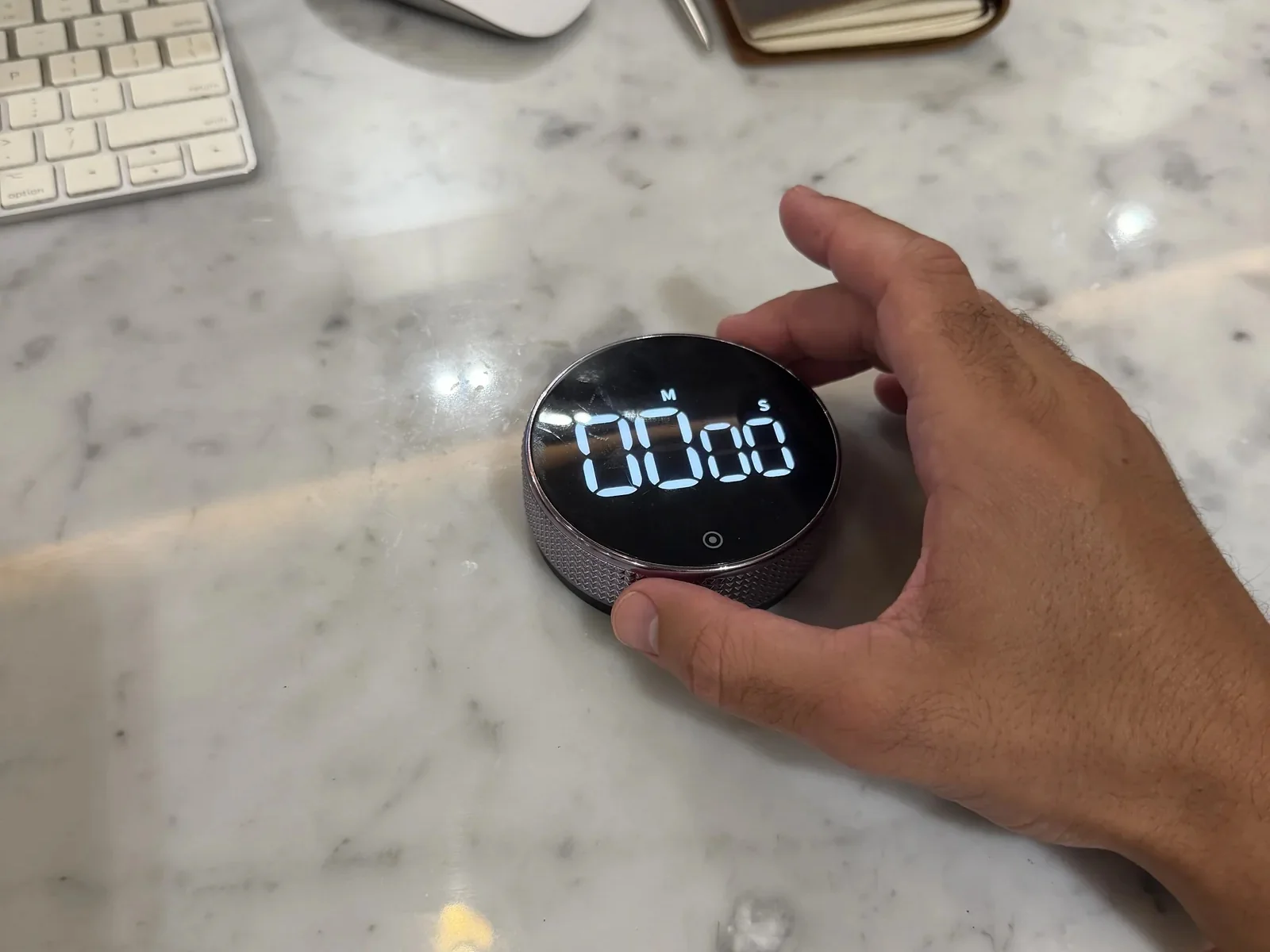
Starting is usually a thought. And thoughts lose to one more minute. A start you can feel in your hand is harder to argue with.
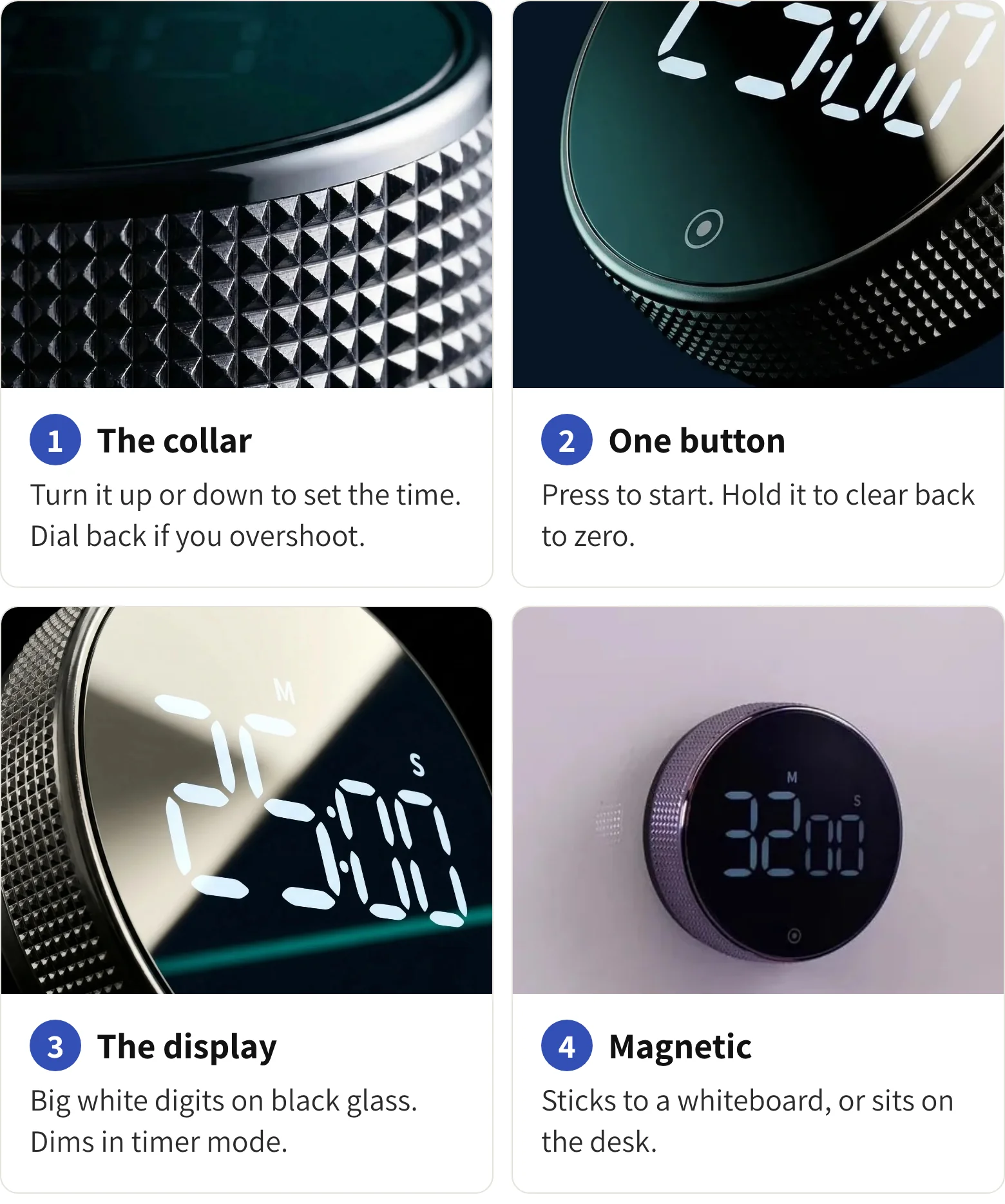
Turn the knurled metal collar. It's smoothly ratcheted, so it moves in small steps until the display shows the block you'll commit to. One press on the front button and the digits start falling.
Sit down, turn, press. That small motion becomes the signal.
- One turn sets it: no menus, no buttons to hold down
- Dial back if you overshoot: the collar turns both ways
- The countdown stays in view: big white digits on black glass, beside the work
No fiddly buttons you need to hold down for ages, this one has a silver band that rotates around the display to set the desired time. The great thing is you can just dial it back if you accidentally go too far.
3Way 3 of 5
Gives The Task An Edge
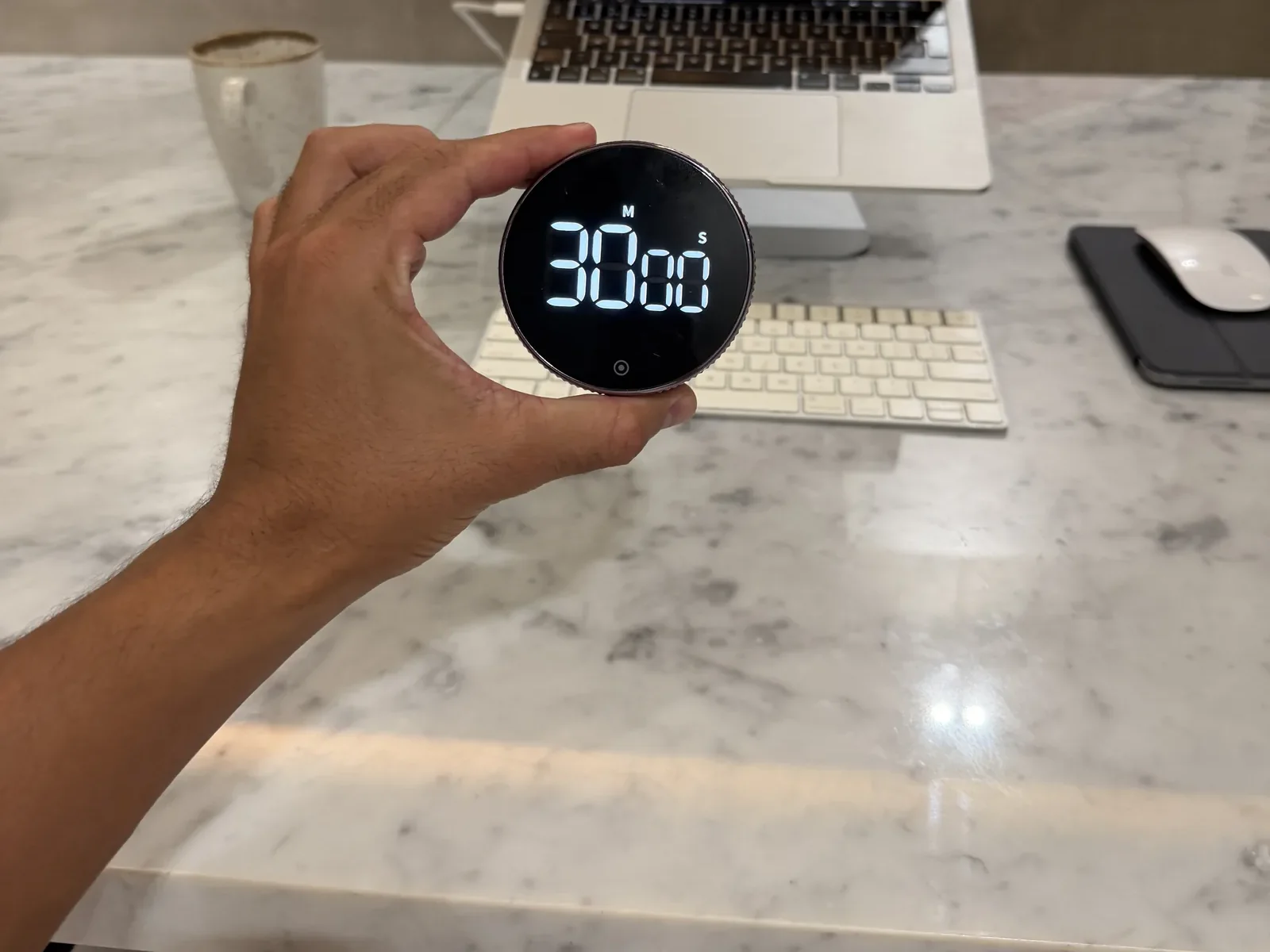
"Write the proposal" has no end. "30 minutes on the proposal" does. The countdown turns an open-ended job into a block with a finish line, and a finish line is something you can agree to.
You pick the length. Ten minutes on a day when the resistance is high, fifty when you're moving. And if timers usually stress you out, this one doesn't have to:
- A silent countdown mode: for shared rooms, calls, and days when an alarm is one thing too many
- An alarm you can turn down: loud or normal, set by a button on the back
- A stopwatch mode too: for the days you'd rather count up than down
...a great little way to remind me to finish within the next 5 minutes or so.
4Way 4 of 5
Makes Coming Back One Press
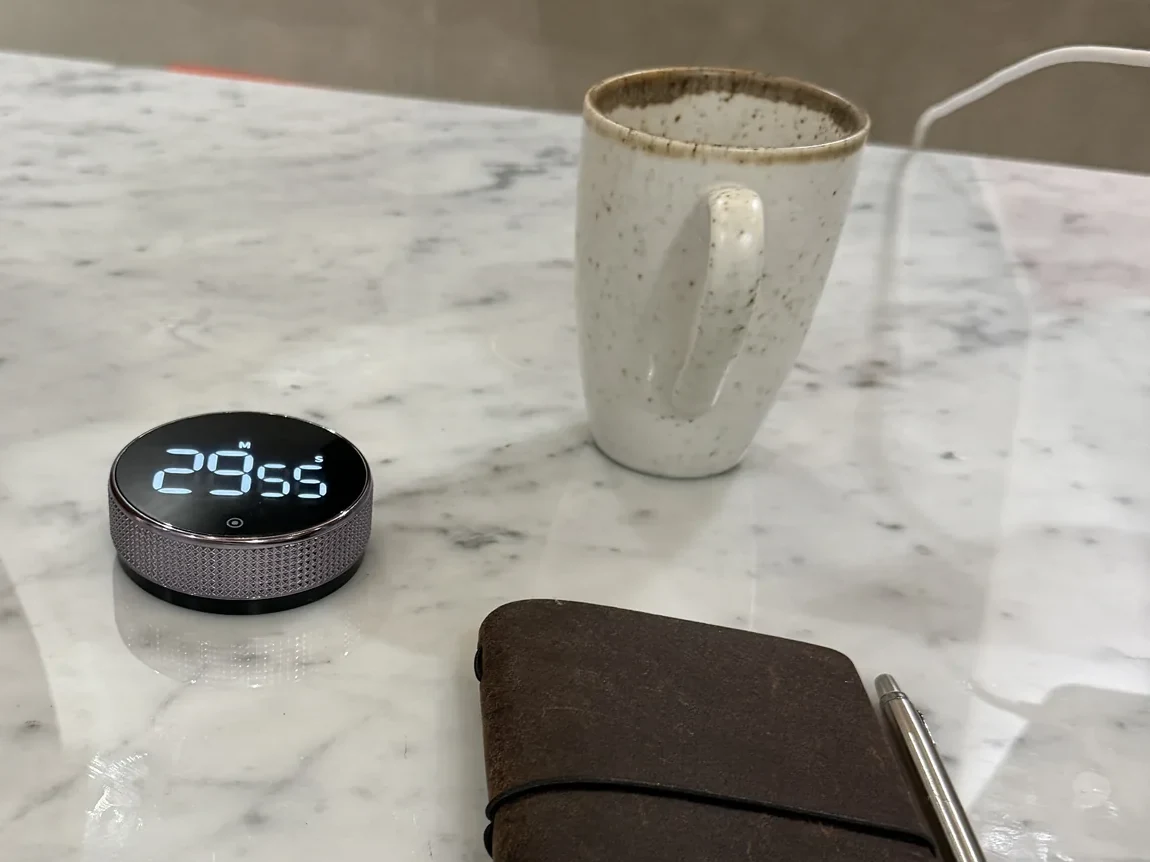
Remember when a break was just... a break? Not a second 40-minute gap with a coffee in it.
The block ends, you take five, and restarting means deciding all over again. The timer takes the deciding out:
- No re-setting: it remembers the last time you set, even after it switches itself off
- No re-deciding: the length of the block was settled the first time
- No phone in the loop: the break doesn't end with an unlock
Big numbers to see, easy to use, nice sound when timer is done. It remembers the last time set so just tap and go.
5Way 5 of 5
Makes The Work Your First Move
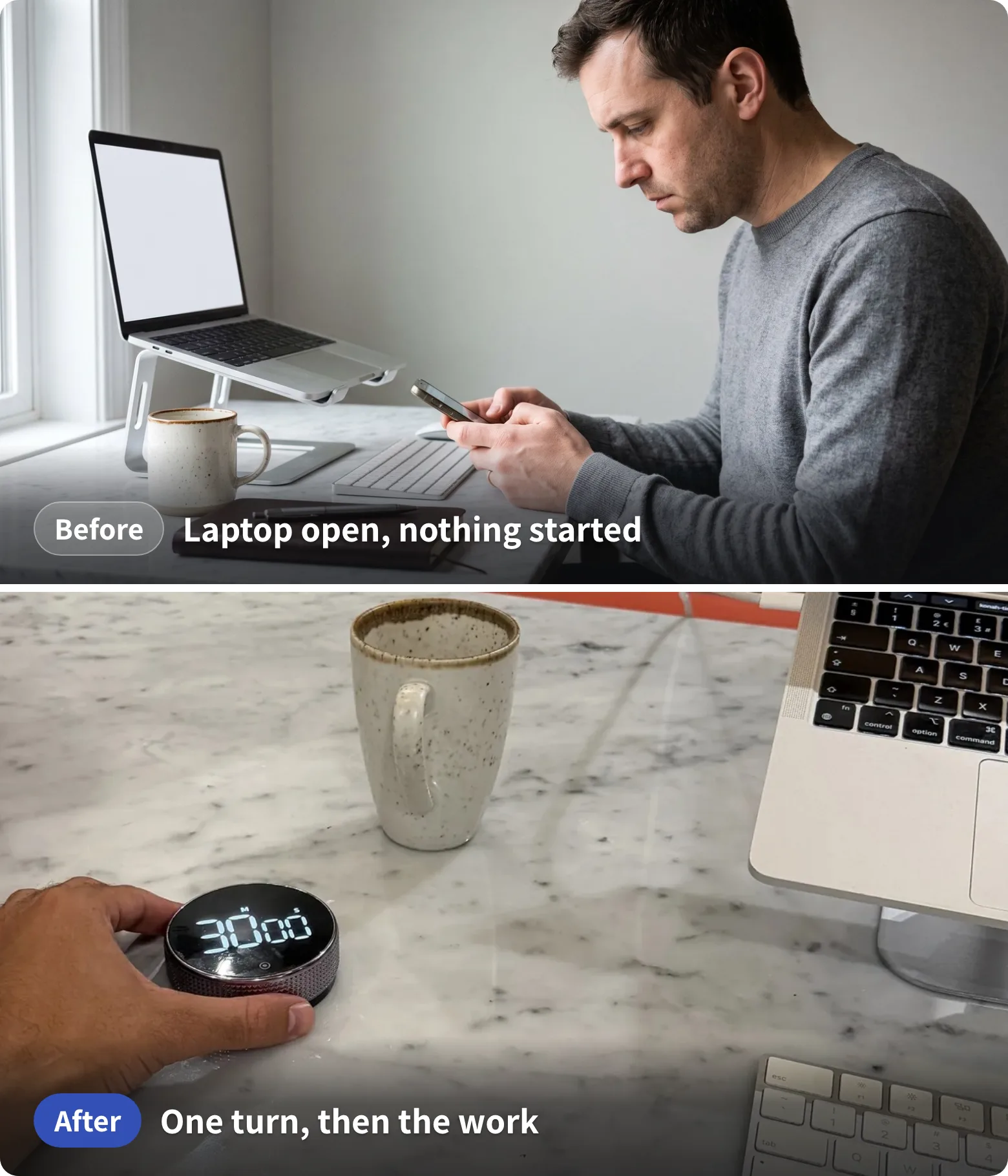
Add up the first four ways and your first move at the desk changes. Not because you found discipline overnight. Because the setup changed:
- The phone stays where you left it: nothing you need to start is on it
- The laptop opens to the work: the countdown is already running
- The first line comes sooner: you agreed to a block, not the whole job
Sit down. Turn the collar. Press once.
25:00. 24:59. 24:58. You're working.
My procrastination got very bad and I would hate myself for it. This timer is genuinely the only thing that helps me stay focused and be accountable for the things I need to do.
From The Box To Your First Block
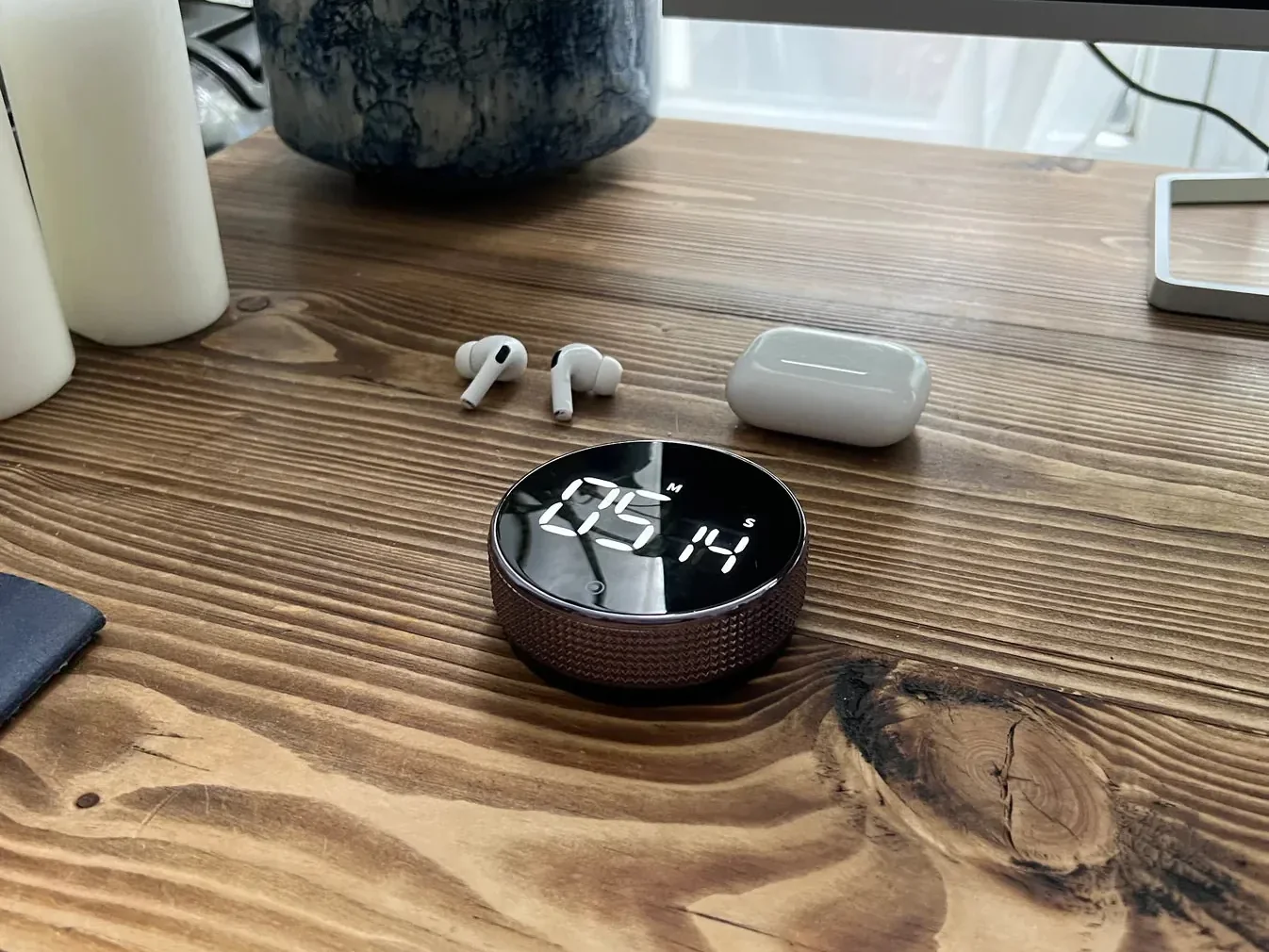
Take it out of the box
Nothing to download, no account, no cable. It runs on an AAA battery.
Put it where you'll see it
Next to the laptop, or on a whiteboard: the back is magnetic, with extra adhesive pads.
Turn the collar
Set the block you'll actually agree to. Ten minutes counts.
Press once and work until it rings
Or let it run silent. Tomorrow it remembers the time, so it's tap and go.
$44.99 today, usually $69.99
The Four Parts That Do The Work
Everything you need to start is on the object itself. Each part does one job, and none of them needs a screen.
Take Back The First 40 Minutes, Starting Tomorrow
- No app, no account, nothing to charge
- One turn to set, one press to start
- A silent countdown, or a quieter alarm
- Remembers your last time: tap and go
- Rated 4.9 out of 5 from 26 reviews
$44.99 today, usually $69.99
What's In The Box, And What Isn't
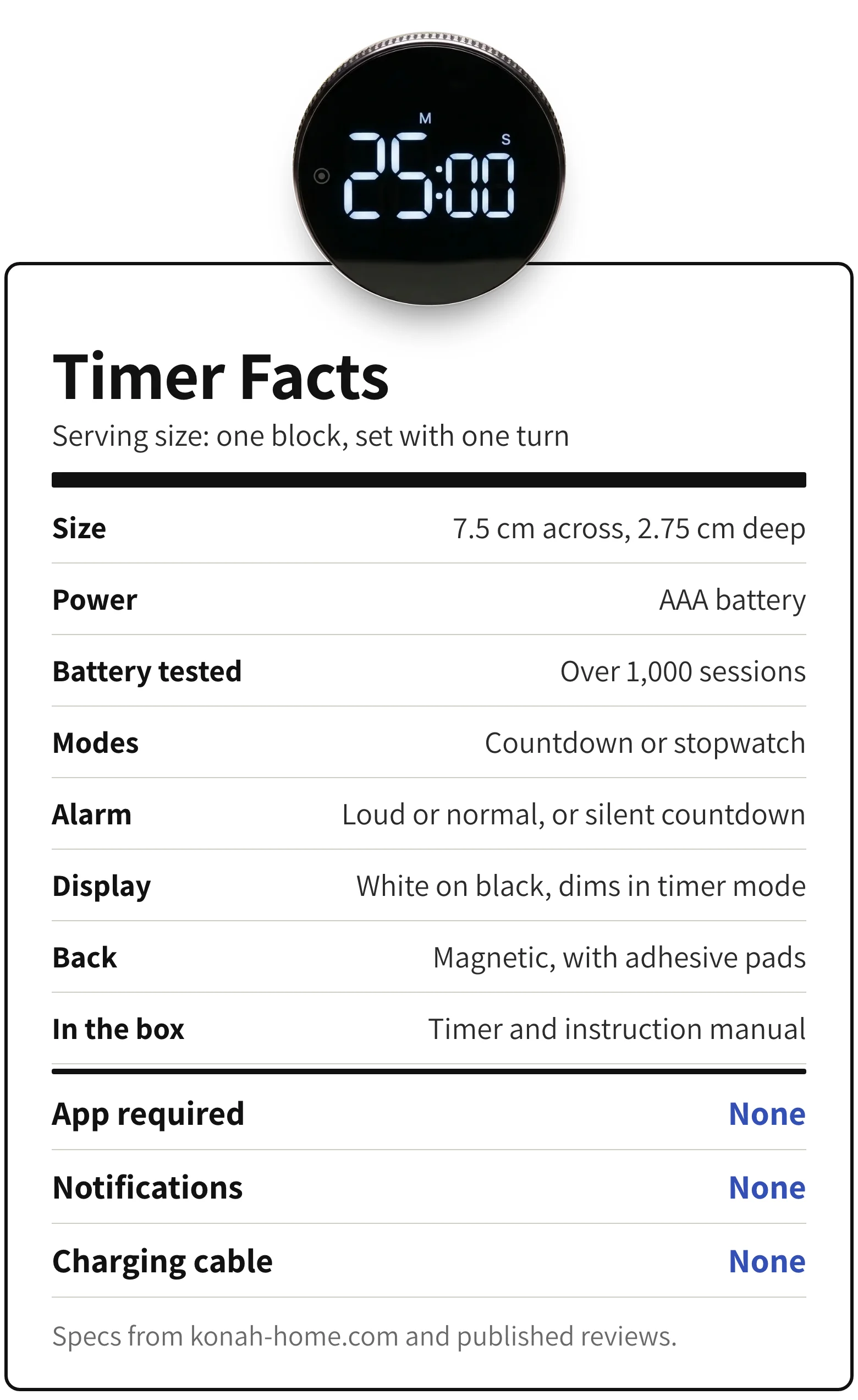
Here's the whole label, including what it leaves out.
Usually $69.99. Save 36% today.
Four Timers, Side By Side
| Feature | Konah timer | Phone timer | Focus app | Button timer |
|---|---|---|---|---|
| Starts without unlocking your phone | ||||
| A physical move that says now | ||||
| Gives the task an end | ||||
| Set with one turn | ||||
| Nothing else can ping you |
Konah Home makes the timer. Types, not brands.
Every timer gives the task an end. The difference is what you have to touch to start one. Start on your phone and you've already opened the door to the 40 minutes.
In Their Own Words
4.9 out of 5 from 26 reviews on konah-home.com
I love this. It's a quality product and looks great on my desk. I use it everyday and love having a physical timer instead of using apps
...Love the simplicity and elegance of the design, and the magneticness of it allows me to place in exactly the perfect place on my desk (like it was meant to be)...
Having used this timer for a few days now I've found it super easy to use and far better than the more traditional digital button type timer I've used in the past.
Keeps me on track for single tasks!
I personally would rather pay a little bit more money to have this design and function.
I was a bit skeptical of the actual functionality but it's super intuitive to use. Would recommend..
Say Goodbye To The 40-Minute Gap
One timer is enough for one desk. Two covers home and the office, or someone else who keeps telling you I'll start in a minute.
Save 36% today
Konah Home
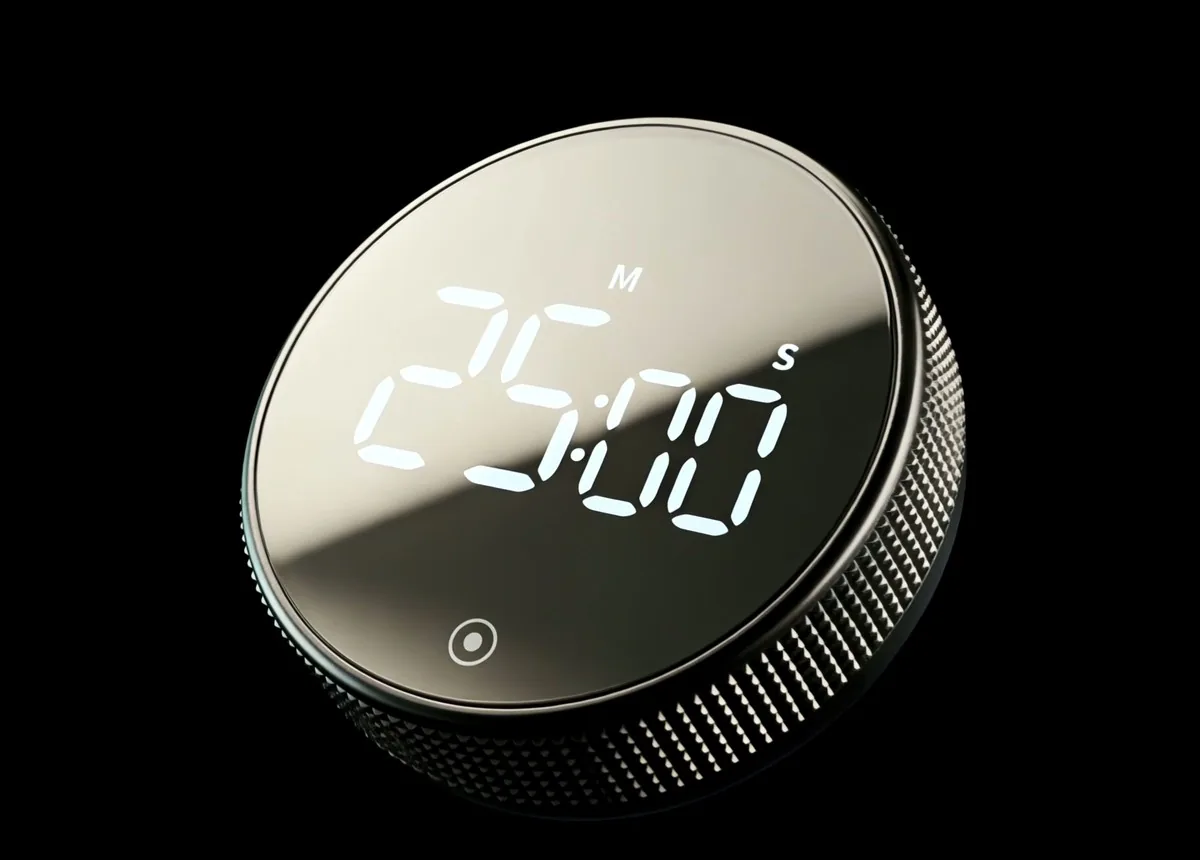
The Smart Productivity Timer
$44.99Was $69.99
- Turn the collar to set, press once to start
- Countdown or stopwatch, plus a silent mode
- Remembers your last time, so it's tap and go
- Magnetic back, runs on an AAA battery
Save 20% on two, 30% on three. Duo and Trio ship free.
- Secure checkout
- Ships from US and Europe
- 7-9 day deliveryUS, Canada, Europe
Questions, Answered
How is this different from the timer on my phone?
It isn't on your phone. Starting it never means unlocking the device where the messages, feeds and badges live, so the phone can stay in a drawer while you work.
I find timers stressful. Will this be any different?
You choose how it behaves. There's a silent countdown mode, the alarm volume switches between loud and normal, and you pick the length every time. Ten minutes is a perfectly good block.
How do I set it?
Turn the outer collar to set the time, up or down. It's smoothly ratcheted, so you can dial back if you go too far. Press the front button to start, and hold it to clear back to zero.
What does it run on?
An AAA battery, tested on over 1,000 sessions. It switches itself off when it isn't in use, and the display dims in timer mode to save battery. There's nothing to charge.
Is it only for work?
Work blocks are the main use, but buyers also use it for workouts, mobility exercises, house chores, reading, meetings and limiting screen time.
How big is it?
7.5 cm across and 2.75 cm deep. The back is magnetic, with extra adhesive pads, so it sits on the desk or sticks to a whiteboard.
Does it show the time of day?
No. It's a countdown timer and a stopwatch, nothing else. One buyer wished it had a clock; it does one job.
How long does delivery take?
Orders ship from warehouses in Europe and the USA. Estimated delivery is 7-9 business days to the US, Canada and Europe, and 12-14 to Australia and New Zealand. Duo and Trio ship free. Any customs fees are paid by the buyer.
Tomorrow At 9:00, Start With One Turn
Laptop open. Phone in the drawer. Turn the collar, press once, and the first thing counting down is the work, not the morning.
Today it's $44.99 instead of $69.99. Save 20% on two and 30% on three, and Duo and Trio ship free.
P.S. If you're reading this with the laptop open and the task still waiting, that's the gap. You don't have to close it tonight. Just make tomorrow's first move something other than your phone.
- Secure checkout
- No app needed
Konah Home makes this timer. It's a timer, not a treatment: it doesn't diagnose or treat ADHD or any condition. Reviews quoted are published on konah-home.com.